Did you see...

perfectreplica.io High Quality Best submariner replica Watches Online For Sale All of our Rolex watches are carefully selected.

Search Results for Selection

Vector Masks in Photoshop

03/05/2011

In last week’s post on TipSquirrel, we started looking at drawing with shapes and paths in Photoshop. In the interest of getting our toes wet, so to speak, we looked at the shape tools, and saw [More]

Lightroom Organization with Smart Collections

29/03/2011

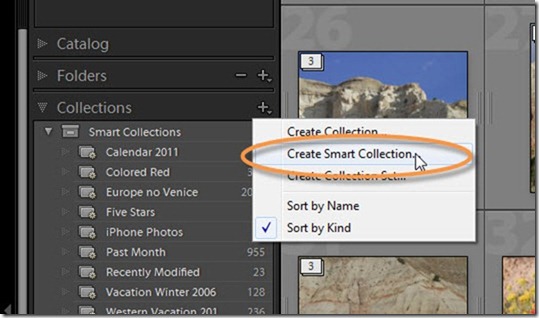
If you’ve been following my past couple of tips on Tagging your Lightroom Images with Keywords, and Organizing and Searching in Lightroom with Keywords, you are well-prepared for this week’s tip. [More]

Simple Stain Remover in Photoshop

23/03/2011

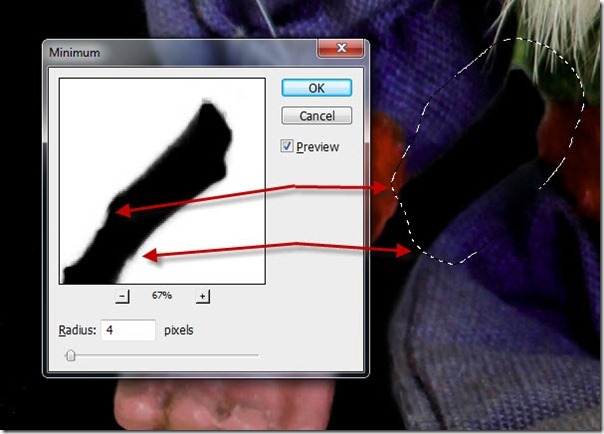
You’re stumped, you’ve met your match, you don’t know what to do – have you ever felt like that when you see a photo, or a particular area on a photo? I’m sure you have! I know I have, and [More]

Tag Your Images–Keywords in Lightroom

15/03/2011

Today’s tip is one that grew in the telling. When I sat down to create today’s tutorial, I had originally intended to discuss Collections in Lightroom, as a great way to organize your images. [More]

Mastering the Photomerge Command (Part 2)

19/02/2011

The following tutorial is adapted from the book Motion Graphics with Adobe Creative Suite 5 Studio Techniques from Adobe Press. This is the second part of the tutorial. Be sure to check out part 1 [More]

Exporting multiple files with Image Processor

15/02/2011

Sometimes tried-and-true methods are very efficient at getting the job done, and the Image Processor script (which has been around for quite some time) is one of those old standby tools. When you [More]

Mastering the Photomerge Command (Part 1)

04/02/2011

This is the first part of the tutorial. We’ll be back in 2 weeks with part 2 on how to clean up the panoramic file. If there’s enough comments and interest, I’ll add part 3 on how to bring the file into After Effects as a virtual set. Photomerge is a specialized “mini- application” within Photoshop that assists in combining multiple images into a single photo. You can access it from either Photoshop or Bridge. Depending on the resolution of your sources and the speed of your machine, it can take a while to complete. [More]

Designing with Layer Masks

01/02/2011

Over the past few weeks, we’ve looked at selections and masking, and today we will take masking to yet another level, as we create an entire design using nothing but layer masks. If you’ve been [More]
1 7 8 9 10 11 14
3-9