Did you see...

perfectreplica.io High Quality Best submariner replica Watches Online For Sale All of our Rolex watches are carefully selected.

Search Results for Selection

Creating a Copy to Work on in Photoshop

08/09/2011

Sometimes I like to save an image and continue to work on it. There’s a lot of ways Photoshop allows you to do that but we’ll have a look at just a couple of them here. What we’re after is to [More]

Using Photoshop to Cut Off a Finger

27/07/2011

I’m not sure how many people have seen my horror work but I spent years removing faces and turning people into monsters. So for this tutorial I thought I’d show you a simple method of how [More]

Text Chiselled in Stone with Photoshop

19/07/2011

This week’s tip is a two-for-one, bringing you some classic techniques. We’ll create a nice stone texture, then carve some text in it using layer styles, as well as a few additional tricks. [More]

Creating a Web Gallery in Lightroom

06/07/2011

Recently, I’ve been asked to set up a few web galleries from a recent shoot, and I thought that I would show you how easy it is to create galleries from within Lightroom. To do this tutorial, [More]

Ten More Things About Photoshop

09/06/2011

As my good friend J. Schuh aka The Texas Animator likes to say, "How do you eat an elephant? One bite at a time." Photoshop certainly is an elephant of a program to wrap your head around. Keeping with my Top Ten series, here are ten more things you can use in Photoshop. [More]

Very Simple Quake-Grunge Text in Photoshop

06/06/2011

I was asked recently about grungy text. There’s plenty of tutorials out there but I wanted something simple, that can be done in a couple of minutes but has a great effect. Here’s my solution. [More]

Warhol-Style Pop-Art Effect with Photoshop Elements

26/05/2011

In this tutorial we’ll use Photoshop Elements to create an effect similar to Andy Warhol’s iconic pictures of Marilyn Monroe, Elizabeth Taylor et al. We’ll use layers and blend modes to build up the effect, making it easy to correct mistakes or change the look at a later stage. [More]

Tangled Webs: Combine and Simplify Paths

24/05/2011

In previous tips here on TipSquirrel, we’ve looked at various ways of creating and modifying paths in Photoshop. Today, we’ll explore methods for combining paths using the interaction modes in [More]

Shapes, Arrows and Hidden Options in Photoshop

17/05/2011

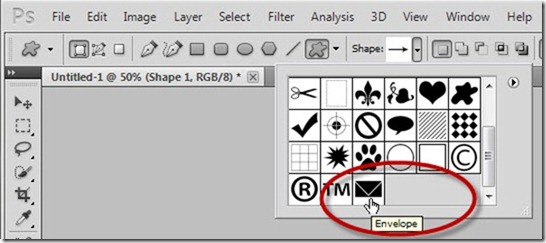
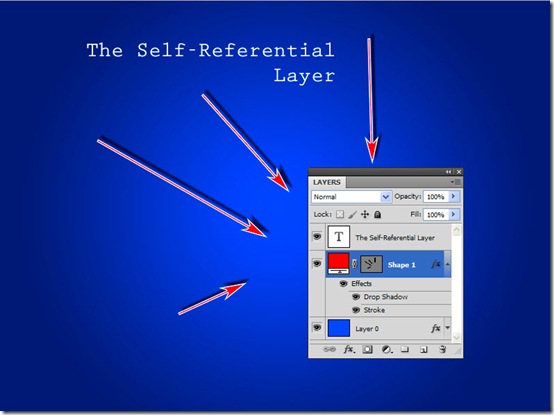
Creating arrows (such as we here use in our tutorials) shouldn’t be too hard in Photoshop, and it actually isn’t. However, you may find it frustrating to find out the best way to accomplish such [More]

Photoshop Quick Mask

12/05/2011

Greetings all! Hope your week has been brilliant, and you have plenty to look forward to this weekend. Today I’ve made a video on how to use Quick Mask mode in Photoshop. Quick Mask mode, [More]

Editing shapes in Photoshop

10/05/2011

In this week’s tip, we’ll look at some fast and easy ways to start with existing shapes (vector paths) in Photoshop, apply some quick modifications, and make the shapes into your own unique [More]
1 6 7 8 9 10 14
3-9