Did you see...

perfectreplica.io High Quality Best submariner replica Watches Online For Sale All of our Rolex watches are carefully selected.

Diary

Creating a Duotone Image in Photoshop

25/01/2011

Yesterday, Richard Hales began an introduction to Black and White images. In conjunction with that, I wanted to present an oldie-but-goodie technique that you can use to spice up your black and white [More]
Capturing Details with Refine Mask

18/01/2011

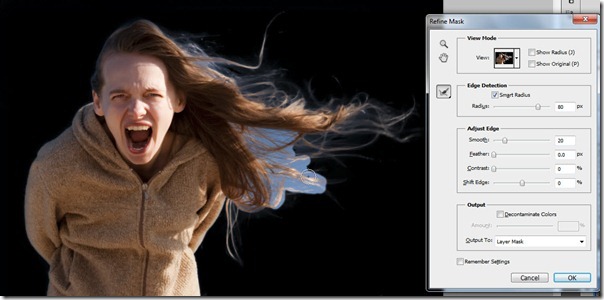
Last week on TipSquirrel, I introduced the Masks Panel, and today we’re going to take a closer look at an old feature that is new again with CS5. A few versions ago, Adobe introduce the Refine Edge [More]

Using the Photoshop Masks Panel

11/01/2011

In the past several tips I’ve explored ever more deeply into the art of creating selections. Of course, one of the primary uses of selections is to create a mask, in order to non-destructively hide [More]

Selecting with Color Range

04/01/2011

One of the most powerful and useful tools for creating a selection in Photoshop is also the most often ignored and the least understood. In fact, it generally isn’t even regarded as a tool at all, [More]

When Selections Define Your Image

21/12/2010

Over the past few weeks, I’ve discussed various basics of creating and selecting areas of your image, and today, we’ll have a bit of fun with it – to give you an idea of the power that is at [More]

Photoshop Selection Power Tips

14/12/2010

Over the past two weeks, we’ve looked at Selection Basics and Selection Techniques using Photoshop CS5, and we’ve developed a fundamental framework of understanding about selections, masks and [More]

Win A Flip-Pal Mobile Scanner

13/12/2010

Sorry. This competition is now closed TipSquirrel and the Rocky Mountain Ventures Company are joining to together to give our lucky readers the chance to win a Flip-Pal Mobile Scanner! If you [More]

Photoshop Selection Techniques

07/12/2010

In last week’s tip, I presented some Selection Basics in Photoshop that were intended to get you thinking about selections in new ways and with a better understanding of what was happening. In [More]

Selection Basics in Photoshop

30/11/2010

Way back in my early days of learning Photoshop, selections were a mystery to me. Sometimes they made perfect sense, and other times they were nothing but a source of frustration. This cloudy [More]

Half-Sketch Half-Photo Morph with Photoshop

23/11/2010

Today’s tip comes to you courtesy of my wife, Carol, who liked the image you see below well enough to hang it on a wall in our house. That’s saying a lot to me, since I have over 30,000 images in [More]

Working with type on a path

16/11/2010

Back in the days before Photoshop CS, type on a path was the domain of Adobe Illustrator. With CS, and every version since, Adobe added type on a path to the arsenal of tools available to Photoshop [More]

Day into Night with Photoshop

10/11/2010

  Here’s a fun effect and a way to change perspective on reality… using Photoshop adjustments to turn day into night. The difference is mostly a matter of temperature and illumination, after [More]

Zoomify your Panoramas in Photoshop

01/11/2010

Over the past few version updates, Adobe has given us a Photoshop capable of creating some magnificent large images using the Merge to Panorama feature. Creating these images can give you quite a [More]

Jack-O-Lantern in 3D (Part 2)

26/10/2010

Last week on TipSquirrel, I started a project to create a 3D scene of a Jack-O-Lantern, together with some spooky text. This week, as promised, we will finish this project by adding some light [More]

Adding a Soft Glow with Photoshop

21/10/2010

There’s nothing quite like a ‘How did you do that?’ question to prompt a tutorial, so seeing as I was asked how I created this ‘Soft Glow’ effect on a series of images [More]
1 10 11 12 13 14 20
3-9