Did you see...

perfectreplica.io High Quality Best submariner replica Watches Online For Sale All of our Rolex watches are carefully selected.

Tutorial

Ten Things Beginners Should Know in Lightroom

17/02/2011

10. The "F" key cycles through screen modes just like Photoshop. Your menus have gone missing? Press CMD+OPT+F (CTRL+ALT+F) to immediately return to the normal screen mode. 9. Side panels keep disappearing? Turn off Auto-Hide for Panels. Right-click the triangle icon on the side panels and change the setting to "Manual". Works for top & bottom panels as well. [More]
Exporting multiple files with Image Processor

15/02/2011

Sometimes tried-and-true methods are very efficient at getting the job done, and the Image Processor script (which has been around for quite some time) is one of those old standby tools. When you [More]

Instant Valentines Day Card with Photoshop

11/02/2011

Valentines day is fast approaching, so here at TipSquirrel we've got the perfect tutorial for you. Depending on your point of view, this technique will either help you make a very personal and romantic valentines card, that truly expresses your deep and undying love... or... it can save you a load of time and small fortune on shop bought cards. Either way watch the video to discover exactly how it's all done. [More]

Exporting JPGs to the Lightroom Catalogue

10/02/2011

In this exclusive TipSquirrel.com episode of PhotoWalkthrough, John Arnold shows us how to export JPGs from Lightroom 3 and have them automatically added back to your catalog and stacked with their original version. [More]

A Photoshop Photo Pile-up

09/02/2011

In this follow-up to the inlaid tabletop we made last time, we'll make a simple frame and duplicate it to make a heap of photos. We'll then add our family photos and lay them all on the table. [More]

Photoshop’s Pass Through Mode

07/02/2011

When you open a  New Group dialogue box, you might notice that there’s something a little different in there, ‘Pass Through’. What, you may ask is all that about? Well, let’s [More]

Mastering the Photomerge Command (Part 1)

04/02/2011

This is the first part of the tutorial. We’ll be back in 2 weeks with part 2 on how to clean up the panoramic file. If there’s enough comments and interest, I’ll add part 3 on how to bring the file into After Effects as a virtual set. Photomerge is a specialized “mini- application” within Photoshop that assists in combining multiple images into a single photo. You can access it from either Photoshop or Bridge. Depending on the resolution of your sources and the speed of your machine, it can take a while to complete. [More]

Comic Book Text Style in Photoshop

02/02/2011

I’m a huge fan of comics – not that I’ve been able to buy any in the last 5 years or so 🙁 but I do love rereading my old ones. This had me thinking about the old style Pow’s [More]

Designing with Layer Masks

01/02/2011

Over the past few weeks, we’ve looked at selections and masking, and today we will take masking to yet another level, as we create an entire design using nothing but layer masks. If you’ve been [More]

Working with Lightroom 3 Vignettes

28/01/2011

For this tutorial we take a look at how the Post-Crop Vignette feature in Lightroom 3 helps us to add a bit of style to the image, but more importantly, it also helps to direct the viewer’s [More]

Apply a “Pinch Curve” to Tighten a Layer Mask

27/01/2011

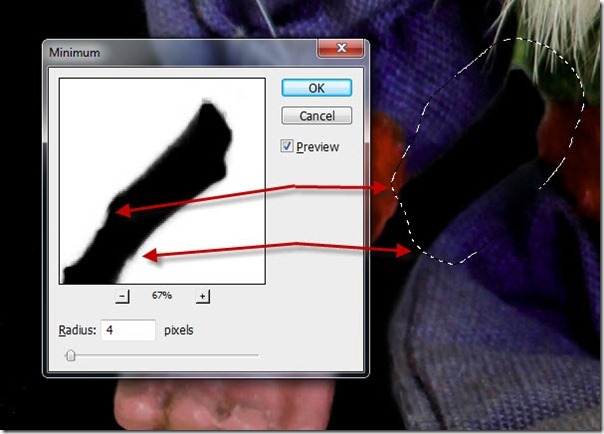
Howdy & Hello! As Photoshop continues to improve, our digital workflows become more efficient as we replace old techniques with new features. How many of you have embraced the Refine Edge dialogue commands, or the Adjustment & Masking panels? If you've been reading Michael Hoffman's articles here at TipSquirrel there should be no doubt about the usefulness of those improved features. What happens when you're put in front of an older version of Photoshop WITHOUT those cool new features? A smart person has TipSquirrel bookmarked because you never know when you'll need an old school technique. Let's take a look at how to use a "pinch curve" to choke in a layer mask in Photoshop. [More]
1 44 45 46 47 48 62
3-9