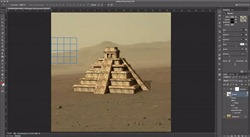
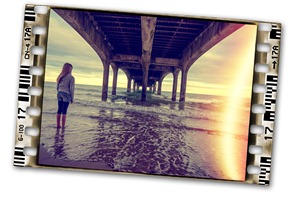
Using some quick compositing techniques, you can create a series of book covers, CD covers, artwork, or related graphical designs that look different, yet share a common feel and theme. This video tutorial uses Photoshop CS6, but the techniques apply to any recent version of Photoshop. [More]
Shortly after Photoshop CS6 was released, Adobe provided a very useful update to users of the Camera Raw plugin: brand new tools for removing CA or chromatic aberration! CA is the fancy term given to the fuzzy "color fringes" that we often see, in shots taken under bright light. Just zoom in between 100-300%, and as you pan around the subject, check the high contrast edges. Subjects shot against a bright skies or lights are particularly vulnerable to displaying CA.
Fortunately there's a very easy solution in Camera Raw 7.1 that requires only a few clicks. Let's take a look. [More]
Sometimes a blue sky is lovely, especially when you're trying to get a tan :) but sometimes you may want to add some clouds to that perfect sky – it may make things more interesting.
That's easily achieved with this Photoshop quick tip. [More]
In last week’s tutorial, we looked at some easy ways to migrate a Lightroom catalog between machines, and one of the key tips was keeping your image folders organized under a single top level [More]
OK, I’m no graphic designer or digital artist, but I needed a ‘cartoon style closing credit’ for a piece I was working on with a student. Creating the circles was easy, and I kept them [More]
We’ve already added a new page to TipSquirrel.com with handy links to The Photoshop Nuts’ own sites but today I’d like to point you toward their other commercial material. With all this 'proper work' they're doing I#d like to publically thank each and every one of them for providing FREE content to this site. They really are as generous as they are talented. [More]
Hi folks, Well it’s taken a little longer than expected but we have it up and running, all we need now are some clubs! Thank you to those four that had some faith I’d get it done, but we [More]
One question I seem to get asked a lot is, “how do I move my Lightroom Catalog to another machine, and keep all my edits, collections, and metadata?” In today’s video, I’ll show you a quick and easy way to get your Lightroom catalog from one machine to another, without losing any data.
In this example, we see the process using Lightroom 4, but the process hasn’t changed since the first version of Lightroom, so everyone can use this tip. [More]
In this video tutorial Rich takes us through the processing of an HDR image from start to finish. To get his desired effect, Rich utilises Blending Modes, Blur and the new to CS6, LUTs. Once the [More]
Now of course there's nothing better than getting things right 'in camera' but when it comes to the lighting, what are you supposed to do after the fact when you maybe want to add some highlights or even tweak those that are already there?
Well here's a technique for doing just that…for adding in or tweaking highlights, and it's one I tend to use on a fairly regular basis when putting together composites; however it's also a technique that can be used in any image and what's more it's quick and easy to apply. [More]
Its typical, when you plan a tutorial to create a Lightroom preset that evokes a feeling of the long hot days of summer to act as an antidote to the unending days of rain and drizzle the British weather decides that maybe the Olympics (am I allowed to use that word at the moment?) should be welcomed in with sunshine and a mini heatwave!
Oh well, in the full knowledge that the balmy climate won’t continue for much longer I will plough on as if its still hosing it down. [More]
In this video I take a look at using the presets when using Warp. Before that, I change the eye colour of our model so that we know how to change the eye colour to a Union Jack (well, it is almost the Olympics!) [More]
When it comes to creating that retro look Photoshop offers a seemingly endless range of options. The trouble is many of the techniques involve multiple complex steps. Well here’s a retro effect [More]
How many times have you seen beauty retouching that has gone too far? you know the kind where the model is left with skin like Barbie? Well this technique allows you to retouch and soften the skin [More]