Blog Archives

Automatic Tourist Remover

StackMedian10.jpg

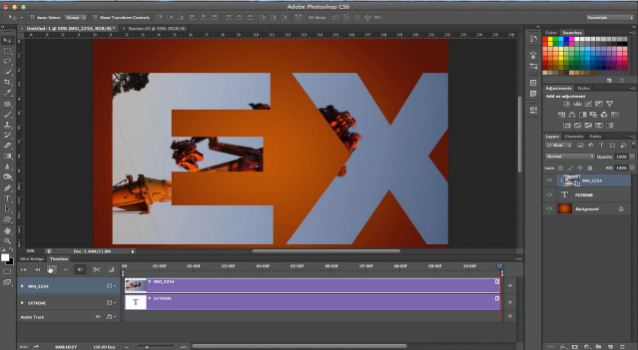
Here’s a little tip that works with Photoshop Extended, versions CS3 or later, and Smart Objects. We’ve all been in public places trying to take a photograph, and people just keep walking by. Just when you think there will be a break, someone else walks into the frame. But, using Smart Objects and Stack...

Read more »

Web Contact Sheets in Photoshop CS5

Web Contact Sheets in Photoshop CS5

As I’ve noted, Photoshop version CS4 semi-retired the Contact Sheet, Picture Package and Web Contact Sheet plug-ins. Last week we looked at the modern method of creating contact sheets with Photoshop CS5, and earlier  we reviewed an alternative approach to Picture Package. With today’s tip for creating web gallery contact sheets, we now have...

Read more »

Contact Sheets in Photoshop CS5

ContactSheet08.jpg

Back when Adobe’s Creative Suite 4 was launched, many people bemoaned the fact that an old favorite plug-in, Picture Package (Contact Sheet II) and its associated Web Gallery counterpart, had been retired. Well, not completely gone, because even in the latest version of CS5 you can still get the old plugins from Adobe, as...

Read more »

Creative Stacking Diversions

SORange13.jpg

Last week, I mentioned that I’d be covering my use of Stack Modes as an “automatic tourist remover.” However, this week, I endeavored to get out in the field and take some new photos specifically for this tutorial, but the weather refused to cooperate, and did so repeatedly. So, we’ll save that tutorial for...

Read more »

Noise Reduction with Smart Object Stack Modes

Noise Reduction with Smart Object Stack Modes

Last week we took a look at Stack Modes in Photoshop, and found that all we needed was a layered Smart Object, and we could use the Stack Modes to great effect. This week we will continue to look at uses for Smart Object Stack Modes, looking at a very effective technique for removing...

Read more »

Max Stacks with Photoshop

SOStackMax07a.jpg

Over the past few weeks, we’ve explored the world of Smart Objects, and we’ll continue that exploration here today. However, one special note for today’s lesson – the Smart Object features we’ll be discussing today apply only to Photoshop Extended. If you have only the standard version, read on anyway and let’s explore one...

Read more »

Nested Smart Objects Part 2

NestedSO16_thumb.jpg

In last week’s post on creating nested Smart Objects, we had created the image below, which was to serve as a celestial orb in our twilight desert scene. We built up this object from a basic Photoshop layer, wrapped in a Smart Object, with Smart Filters applied, and wrapped that in yet another Smart...

Read more »

Nested Smart Objects – Part 1

Nested Smart Objects – Part 1

We’ve been exploring the power of Smart Objects, and starting today we will test the limits of just how far you can go – by nesting Smart Objects, one inside the other. By building Smart Objects from other Smart Objects, we add levels of complexity, but open new doors to creative ideas that were...

Read more »

Smart Objects, Smarter Filters

Smart Objects, Smarter Filters

Smart Objects have given us a tremendous amount of power in Photoshop since version CS3, and it just keeps getting better. Today, we’re going to look at a non-destructive workflow that begins with a RAW camera file, continues through Photoshop editing, and is finished off with some filters as a creative touch – and...

Read more »

Exposure Blending with Smart Objects

Exposure Blending with Smart Objects

Last week, we looked at creating copies of Smart Objects in Photoshop, and we saw that regular copies are linked together in a special way such that when you update one Smart Object, you update ALL the copies of Smart Objects. We put this principle to work in creating a Picture Package template that...

Read more »

Picture Package with Smart Objects

Picture Package with Smart Objects

When is a copy not a copy? When it is a copy of a Smart Object! In Photoshop, there are two very different ways to create copies of Smart Objects, and each of these has unique and special qualities and behaviors, which we’ll review right here. In Photoshop CS4, Adobe “retired” the Picture Package...

Read more »

Smart Objects, Raw Flexibility

Smart Objects, Raw Flexibility

Last week, we saw that Smart Object Layers are a special kind of layer within Photoshop, that actually encapsulate data so that you have a “document within a document,” and allow you access to the original unblemished data no matter how badly you warp, twist, bend, fold or mutilate the layer. One very practical...

Read more »

Smarter Editing with Smart Objects

Smarter Editing with Smart Objects

In my early Photoshop days, I created a fair number of disasters in which I edited my files, saved over the originals, and lost the ability to get back to an earlier, untarnished version of my files. Over time, I learned to approach my editing more carefully, and the idea of non-destructive editing began...

Read more »

Single Image HDR Toning in Photoshop CS5

OK, I promised we’d be back to our normal pre CS5 stuff today, but Mike’s just too excited about the new HDR Toning in CS5 to let it pass un noticed TS It’s top tip Tuesday, and here is an easy technique to achieve that HDR look with a single image, using the new...

Read more »

Photoshop CS5 Layer Management Enhancements

TipSquirrel welcomes back Mike Hoffman as he explains the new, and the improved, features of Photoshop’s Layer Management. Bookmark It Hide Sites

Read more »

TWITTER NUTS