Did you see...

Articles by Michael Hoffman

About Michael Hoffman (224 Articles)
Mike has been a photographer, artist, educator, and technophile for most of his life. Early in his career, he created technical illustrations and photographs for electronic equipment manufacturers, and taught classes in computer aided drafting and 3D modeling software. When digital cameras became widely available in the late 1990s, the move was a natural one, and has led to a happy combination of technology, software, photography and art. Mike is an Adobe Certified Expert in Photoshop and Acrobat, and is well versed in Lightroom and Photoshop Elements, as well as Illustrator and InDesign. He has also contributed his time and efforts to the excellent work being done by Operation Photo Rescue, in restoring photographs damaged by natural disasters. As an active member of the National Association of Photoshop Professionals, he continues his quest for excellence in art, excellence in design, and excellence in education.

Photoshop Guides and Rulers

19/02/2013

Learn to use Guides and Rulers in Photoshop to accurately and precisely place and align images and objects. Guides are essential when exact measurements or precise alignment is required. [More]

A Kinder, Gentler HDR in Photoshop CS6

12/02/2013

HDR doesn't have to be gritty, edgy, with radioactive colors. At its heart, HDR is a technique that can allow you to more accurately capture the images you see - as long as you aren't too heavy-handed with the controls. [More]

Layer Comps in Photoshop

05/02/2013

The Layer Comps feature in Photoshop allows you to create and save a variety of different compositions within a single file, and switch back and forth between the layouts quickly and easily. You can even save all your comps automatically to a group of files. [More]

Image Variations with Photoshop Gradient Maps

29/01/2013

If you look in Photoshop’s Adjustments Panel, right at the very bottom, in the last position, is the really technical sounding “Gradient Map.” If you haven’t seen this adjustment in action, or known what it can do, you’d be entirely likely to pass right over it – it sounds complicated. But, it isn’t. Gradient Maps are one of the simplest ways of toning or tinting an image. In fact, if you like to tinker with your image, searching for a certain “look,” the Gradient Map can provide a seemingly endless train of color variations, all with a few clicks. Let’s see how it works. [More]

Lightroom 4 Adjustment Brush Tricks

22/01/2013

Lightroom 4 brings all the same capabilities you'll find in Camera Raw for the Adjustment Brush, as well as the Graduated Filter. Add multiple effects, control your image non-destructively. Plus, Lightroom adds some nifty controls all its own to make your editing more efficient. [More]

Photoshop CS6 Adjustment Brush Tricks

15/01/2013

The Camera Raw Adjustment Brush controls get better with each version, and with Photoshop CS6 you have more control and flexibility than ever before. Don't be afraid to experiment with different settings, and to combine multiple adjustments in a single brush. [More]

Saving and Optimizing Images in Photoshop

08/01/2013

You just spent a good amount of time finessing your most recent image to a state of graphics bliss, and now it’s time to save that file in one or more versions for web use (email, Facebook, web [More]

The 3D Ground Plane in Photoshop CS6 Extended

18/12/2012

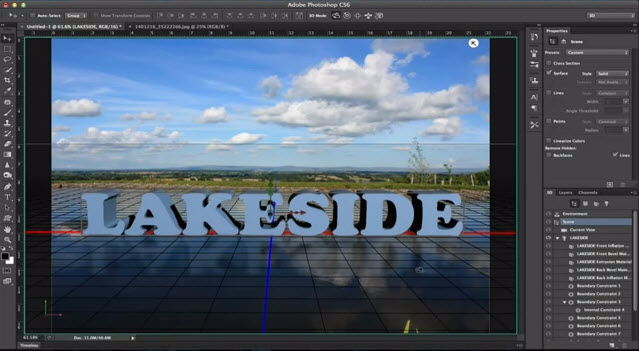
When the 3D Ground Plane first made its appearance in Photoshop CS5 Extended, it was slightly useful, a little bit tricky, and very much hidden from view. With CS6, Adobe brings us a more useful design element - one that catches shadows, and casts reflections - and all in real time while you edit. This makes it an interactive tool that is both easy to use and effective in bringing added realism to your composites. [More]

An Introduction to Maps in Lightroom 4

11/12/2012

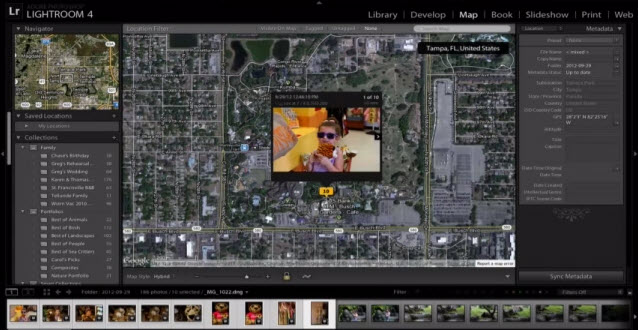
Lightroom 4 brings a new Map module, and if you haven't tried using it, you're missing out. Simple and quick, the Map module provides a way to use the geolocation metadata (map coordinates) in your images, or to create map data easily if your images don't already have it. Mapping your photos is an easy, fun, graphic and effective way to sort, display and search for photos in your library. [More]

Orton Effect with Photoshop Smart Filters

27/11/2012

The key feature of the Orton effect is an overexposed image containing the detail, in good focus, sandwiched together with a second overexposed copy containing the color information, out of focus. With slides, the out of focus layer would also be overexposed, but combining the two slides (or three) has a darkening effect that counteracts the overexposed look of the individual slides. Here's how we can achieve it in Photoshop easily. [More]

Splitting 3D Text in Photoshop CS6

20/11/2012

Photoshop CS6 brings us a great new 3D interface, with a great deal of new capability for working with our 3D objects. One new feature is the ability to split apart text into separate letters after the 3D text has been created. In today’s video, you’ll learn how to create 3D text, and how to split it apart. [More]

Adjustable Patterns in Photoshop

13/11/2012

Filling an area with patterns in Photoshop is a one-way street, and you're at the mercy of the pattern designer as to the scale of the results you'll get. Ordinary pattern fills are not scalable, in fact, there is no control or setting at all for a pattern fill. Use the Pattern Overlay layer style for a more customizable pattern fill. [More]

Photoshop 3D Wireframes as Design Elements

06/11/2012

Photoshop’s 3D capabilities in the Extended version have been getting better with each version, but sometimes it is the basics that can contribute to an interesting design element, and [More]

Working with Image Stacks in Lightroom

30/10/2012

In a recent tutorial here on TipSquirrel, we looked at a technique to Automatically Stack Lightroom Images. In that tutorial, we touched on a powerful tip for setting up stacks in Lightroom, but [More]

3D Layers with Video in Photoshop

23/10/2012

In last week’s tutorial, we looked at Video Masking in Photoshop. Today, we take this project to a whole new dimension – the third dimension – as we learn to apply our video project to the surface of a 3D object. With the video animation playing on the surface of the 3D object, we can create another layer of animation and move it around, adding additional effects for a very flexible and interesting result. [More]
1 4 5 6 7 8 15