In this, made for TipSquirrel.com, video, Rich Harrington explores the power of Adobe Camera Raw. Here Rich has a real world example to work though with amazing outcomes. [More]
You may have used Quick Collections in Lightroom to create temporary sets of photos to organize your work. Here’s a tip to show you how to extend the Quick Collection feature to apply to any [More]
Vintage photo effects are all the rage in photography at the moment. Often they created in mobile apps or in Photoshop, but in this tutorial I’m going to show you a simple vintage effect that can [More]
If you’re like me, you’ve been working on larger and larger files, and sometimes the Liquify command in Photoshop just can’t keep up with all those pixels. Fear not! Here’s a tip that allows you to Liquify smaller files, and transfer the changes you’ve made to a much larger resolution original. [More]
I must admit, when it comes to skies… I’m not above cheating. In this tutorial, I’ll show you a technique from my book Understanding Adobe Photoshop CS5. Be sure to also click here to download [More]
Its that time of year again, so here’s a little rundown of some of the goodies we’ve posted here on TipSquirrel in previous years; Halloween Brushes from Janine Smith In this post Janine [More]
Hi Folks, For this month’s tutorial I thought I’d put together a short video showing you a couple of quick and easy techniques that I regularly use to both Brighten and Colour eyes. As [More]
Smart Objects are one of the more powerful features that have been added to Photoshop in recent years. I think it safe to say that smart objects are considered by most people to fall in to the [More]
Using a simple 2D layer with a grayscale pattern, it’s possible to create some really interesting and organic looking 3D surfaces using Photoshop Extended CS5. In this video, we examine how the “Create New Mesh from Grayscale” command works, and put it to practical use.
[More]
Using Photoshop CS5 Extended, you can create opacity masks for your 3D objects. A 3D opacity mask works like a regular layer mask, except that it shows or hides the 3D surface itself. Once you’ve created your 3D model, why not add some animation to really set things off? [More]
There are quite a few commands embedded under Photoshop’s Edit > Transform submenu: From Scale and Rotate, to Skew, Perspective and Warp. But when push comes to shove, there’s really only one [More]
Hey Folks, For today I thought I’d record a video showing a Photoshop technique that has come in handy for me on more than one occasion; I call it ‘The Never Ending Lighting Rig’ [More]
Photoshop Elements 9 packs some very impressive technology under its dark interface and much of it has been lifted straight from it’s bigger brother, Photoshop CS5. But there’s more to Elements [More]
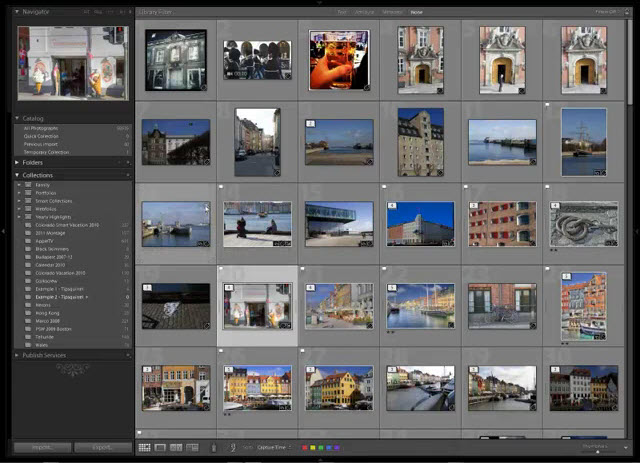
Lightroom provides a variety of different ways to help organize your catalog and your workflow, and color labels rank up there as some of the most useful features. Color labels have more capabilities [More]
In this exclusive video for TipSquirrel.com Rich Harrington show’s us how to get our images into HDR Pro ad what to do with them once they’re there! [More]