Did you see...

perfectreplica.io High Quality Best submariner replica Watches Online For Sale All of our Rolex watches are carefully selected.

Photoshop

Create An Alphabet Soup Text Effect In Photoshop

20/05/2013

In this video I create an Alphabetti Spaghetti, or Alphabet Soup tpy text effect using just one Filter and a few instances of Bevel and Emboss. The Action created in this tutorial can be downloaded by sharing this post via the buttons below the video [More]
Moving Backgrounds to Fix Backgrounds in Photoshop

15/05/2013

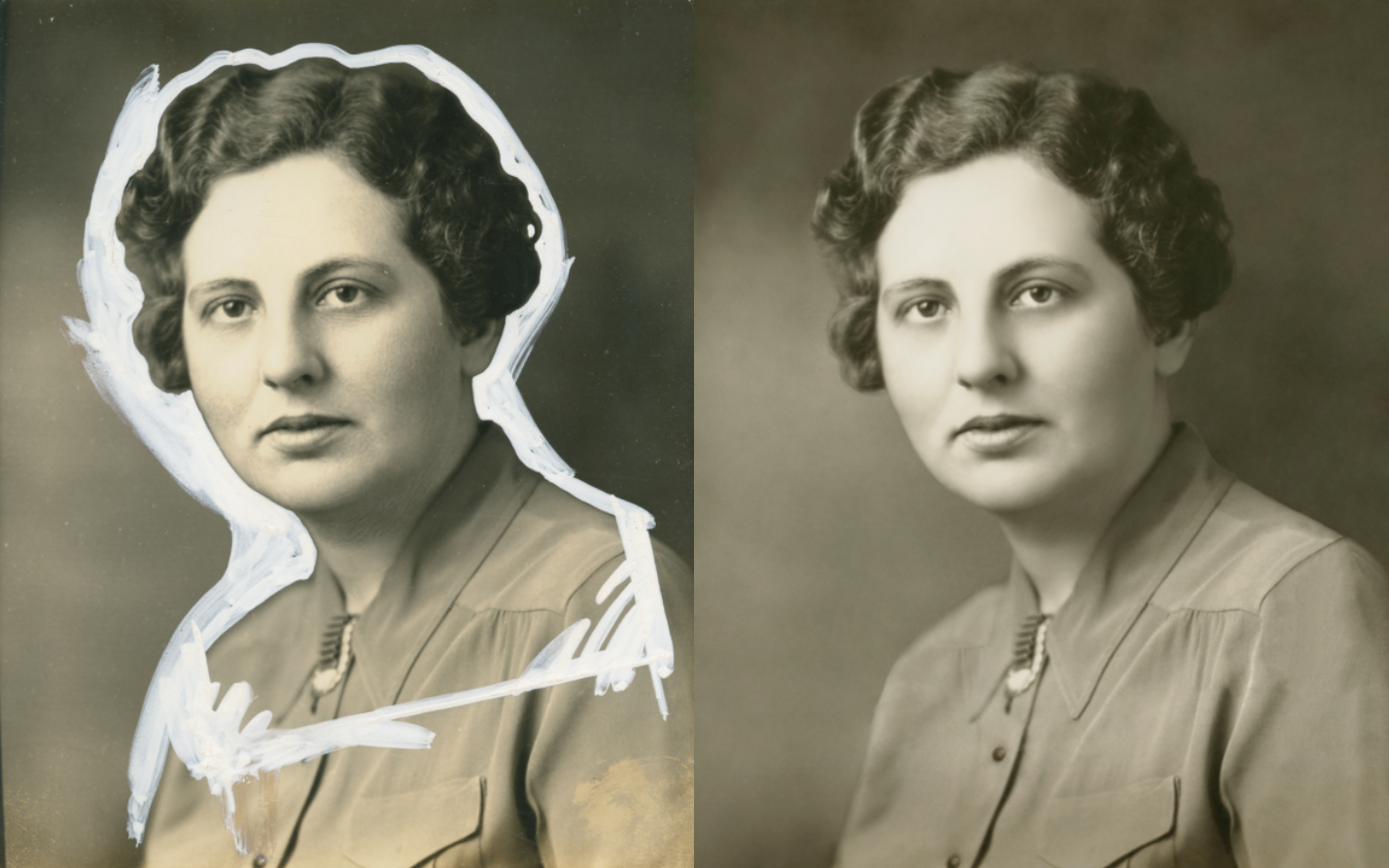
What you see, below, is an aberration, a crime committed against a helpless photograph. Yes, a real photograph was harmed in the making of this mess. Why it was done is beside the point; it was done many years ago and now this image remains as one of the few a daughter has of her mother. This may not be a situation that comes up for the majority of you, but in case it, or something like it comes up, there’s a fairly easy way to get the white out…out. [More]

Lighting 3D in Photoshop CS6

14/05/2013

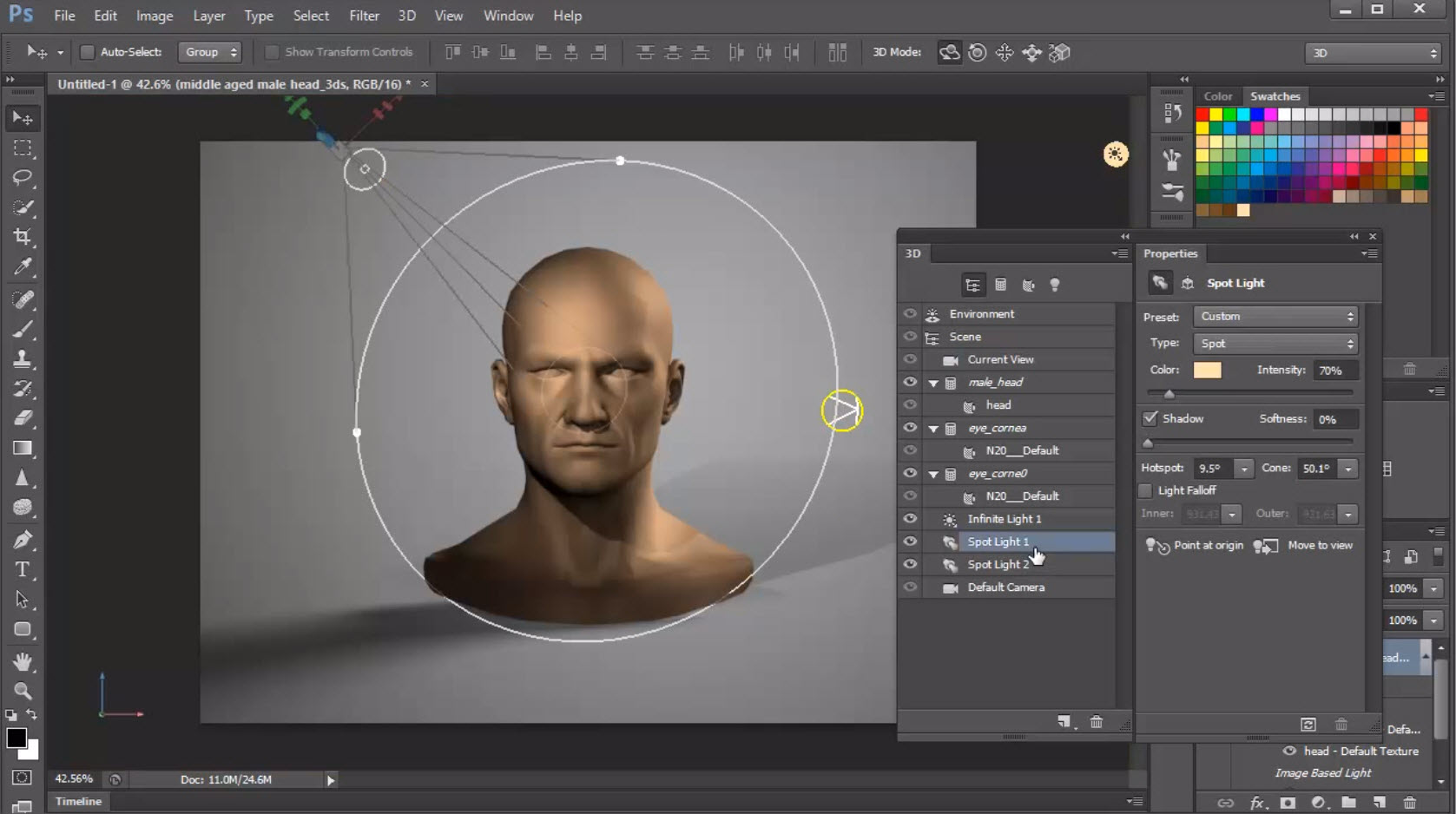
In a continuation of my series on learning 3D in Photoshop CS6 today's topic is lighting your models. Learn the different types of lights that are available in Photoshop's 3D space, and how to control and manipulate them for best effect. [More]

A Photoshop CC Web Round Up

13/05/2013

There’s been a lot of talk on the net about Adobe’s plans for Photoshop CC in June, but what does it actually mean? Lets take a wander around the net and see what’s being said by those in the know; [More]

Smarter Sharpening in Photoshop

07/05/2013

Sharpening traditionally has three phases: capture sharpening, creative sharpening, and output sharpening. In a photographic workflow, Adobe Camera Raw or Lightroom does a fine job of capture sharpening, but where do you go for the rest? Unsharp Mask is tried and true, but no longer the best tool in the toolbox. In this video we’ll look at Smart Sharpen in tandem with Smart Objects for the ultimate in photographic sharpening control. [More]

Control Exposure, Focus and Subject Focus in Photoshop

03/05/2013

Using the Shadow / Highlight adjustment you can quickly and easily add more contrast and subject focus to an image, then utilising the Iris Blur and its ability to create an Alpha Chanel we can draw more focus to our subject more organically and smoothly. [More]

Photoshop Dramatic Contrast Technique

30/04/2013

This simple but effective technique can take you way beyond simple brightness and contrast adjustments, with precise control over each color independently, using the most unlikely tool for adjusting colors – the black and white adjustment layer. [More]

Multiple Strokes With Photoshop CS6

19/04/2013

Many Photoshop users have asked how they would be able to add multiple Strokes, or outlines, to an object. This quick tip will show you how it's possible to add 6 outlines to a single object, using Layer Styles, and a new feature in Photoshop CS6. [More]

Selecting Hair in Photoshop Touch

18/04/2013

Selecting hair is one of the more challenging Photoshop skills if you want to start doing compositing. Photoshop Touch makes it very easy to do, on the go, using a couple of tools and a filter. In this video I take the photo of Paige and extract her, fly away hair included, and put her on a grungy background. [More]

Creating a Glittery Text Effect in Adobe Photoshop

11/04/2013

Inspiration often comes from things we've seen as we go about out day-to-day business; posters, TV and printed ads, etc. I was in town the other day and noticed a poster in a bus shelter for a soft drink. The ad headline featured a fancy glittery text effect. I took a photo with my phone for reference and set about seeing what I could come up when I got back to the computer. I wanted to make sure it was easy to create and versatile enough to apply in different situations. [More]

Photoshop Paste Special Menu Commands

08/04/2013

In this video I take a look at a the Paste Special menu options. Sure, you can use Photoshop never knowing about them but when you do, you’ll be pleased they can be part of your workflow. I’ll be taking a look at; Paste Into Paste Outside and Paste In Place [More]

3D in Photoshop CS6 – Materials Properties

02/04/2013

In the conclusion of this segment, we will look at assigning and modifying properties of 3D objects to define transparency and reflections. We'll create a reflection on the ground plan, and make some basic adjustments to the light in the image to soften the shadows. If you missed the first part, you can find it in my post on 3D in Photoshop – Combining Objects. [More]

Photoshop Text on a Circular Path

01/04/2013

Using our Contact Us page The Photoshop Nuts were asked if we could explain how to put text on a circle. This was covered a while back by Michael Hoffman in his post Working With Type On a Path as a written tutorial but I thought I’d create a video for those that prefer to learn that way too. In the video, I also explain a technique for creating concentric circles and explain why you’d want to have two windows displaying one image. [More]
1 12 13 14 15 16 45
3-9