Did you see...

perfectreplica.io High Quality Best submariner replica Watches Online For Sale All of our Rolex watches are carefully selected.

Photoshop

The Photoshop Photography Program

18/09/2013

Many existing users of Adobe software were a little disgruntled by the move to Creative Cloud earlier in the year. Many of our readers were among them citing that, if you only use a couple of products then Creative Cloud seemed a little like paying for an over expensive sledgehammer to crack a nut. Adobe seemed to listen and answered queries as best they could at the time. To their credit, they also contacted TipSquirrel.com to see if we were ok fielding the questions and accusations that were cropping up in our comments and Facebook feed. Adobe last night announced that their solution to the problem, The Photoshop Photography Program has gone live, and should, hopefully, appease existing customers that would like Photoshop CC. [More]

3D Filmstrip Effect in Photoshop

17/09/2013

Take advantage of the 3D capabilities of Photoshop to make a real film strip that you can twist, move and position in your composition with complete flexibility. [More]

Photoshop Image Extraction with Channels

03/09/2013

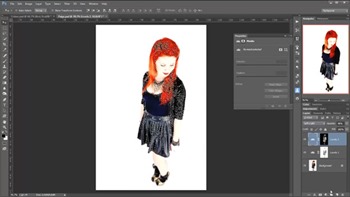
If you're creating image composites, and especially if you're working with stock images, you'll find yourself needing to extract image elements from a white background. This can be a straightforward task with Photoshop, and often you'll get better results with some of the old school techniques. For example, take this image from Shutterstock. Here we have a figure on a white background, and your first thought might be, "I can make short work of this with Quick Selection Tool." (Or the magic wand). [More]

Luminance Masks in Photoshop

02/09/2013

In this video I'll skim over the theory and get stuck in to the very handy luminance mask. Still one of the easiest, and quickest ways to create complicated masks. [More]

Add Copyright Information in Photoshop – Automatically

27/08/2013

It's always a good idea to copyright your work, and that includes embedding the appropriate information into your image metadata. Learn the three step process to create a template to add copyright metadata, to create an action to apply your template, and to use Photoshop's Script Events Manager to run your action every time you work on a file. It may sound scary, but it's a simple process, and you can "set it and forget it." I’ve written about this before a few years back, but this is a good reminder, I’ve brought it up to date with the latest version of Photoshop, and here is a video tutorial for those who prefer video learning. [More]

Adobe Camera RAW from HDR Pro

21/08/2013

I love HDR pro, and with the new Tone in ACR feature the workflow is quicker and easier than ever! With just a few clicks I can avoid all the HDR sliders and work in Adobe Camera Raw, where I’m much more familiar and comfortable with the controls. [More]

Data Driven Images in Photoshop

20/08/2013

You may find yourself with a list of images to create, each one based on a template but with unique data and imagery. An example would be sports team cards, or trading cards, with images and text on each one. Photoshop can help to automate this process, and all it requires is a bit of planning and up front work - and a small text file. Learn to take advantage of data driven images in Photoshop and save yourself loads of time. [More]

Quick Mask-Style Selections in Photoshop Elements

16/08/2013

I recently wrote an article here on TipSquirrel about using Photoshop's Pencil tool to make complicated selections. A comment was posted asking if the same thing was possible using Photoshop Elements. The answer to that is yes, but, as with a few things in Elements, we have to use a couple of workarounds. The original tutorial used Photoshop's Quick Mask feature. This allows us to create selections by painting them with the Brush tool (or any other of the drawing tools); the selected areas show up as a coloured overlay. Elements doesn't have this feature, sadly, so we'll be using an adjustment layer and its mask to achieve the same result. [More]

Fixing a Bad HDR Sky in Photoshop

06/08/2013

HDR Tools are great for creating interesting images, but they can really destroy a sky. Here's a quick tip for rescuing an over baked sky and giving a more natural feel to your images. [More]

Photoshop Color Sampler Tool

29/07/2013

Before we were treated to the delights of Kuler Photoshop users were able to find the colour details in an image with the Color Sampler Tool. Now it lays quietly hidden but it really shouldn't, its a hugely helpful tool. [More]

Image Based 3D Lights in Photoshop

23/07/2013

Photoshop CS6 and later offers the traditional light sources for your 3D models: infinite lights, point lights, and spot lights, all fully customizable. However, there's another kind of light - an "image based light," or IBL - that has some special features. We can use any image as a light source, and in doing so, we can help our 3D model to more closely match the colors of its environment, adding an extra touch of realism. [More]

Match Color Command in Photoshop

22/07/2013

A great, and quick, way to change the feel of your image is to match it’s tones to that of an image you already have. Photoshop makes this incredibly easy and wonderfully flexible with the use of the Match Color command. In this video I’ll look at two images and see how Match Colour can give some amazing results. [More]
1 10 11 12 13 14 45
3-9