Did you see...

perfectreplica.io High Quality Best submariner replica Watches Online For Sale All of our Rolex watches are carefully selected.

Photoshop

Quick Soft Glow High Key High Contrast Effect in Photoshop

07/03/2014

In this video I take a standard portrait and quickly add an effect using Filter Gallery and a mask. I fully appreciate its not going to be something you use regularly on your portrait photos, but its worth adding the masking technique used here to your Photoshop toolbox. [More]

Pen Tool in Photoshop – Converting Points

04/03/2014

We continue to progress through the tricks and details of using the Pen Tool in Photoshop, and today we look at ways of converting anchor points from corners, to smooth curves, to cusp points and back. This final skill, combined with what we’ve learned in the previous videos, will give you everything you need to manage creating and editing of virtually any complex path in any image. [More]

Enhancing Hair – A Photoshop Workflow Example

01/03/2014

In this workflow example I take take a look at enhancing hair, and what better way than with this wonderful sloth? You'll see my workflow for this image from start to finish including Adobe Camera Raw and finishing touches in Photoshop. [More]

Pen Tool in Photoshop–Cusp Points

25/02/2014

In this, our 5th instalment of our series on using the Pen Tool in Photoshop, we explore the problem of cusp points. Cusps are formed when two curves meet, but not in a smooth point – rather in a corner or sharp angle, as you might see on a heart, or perhaps on the fin of a fish. The technique for drawing this type of shape in Photoshop is not obvious, but it is easy once you know how. [More]

Pen Tool in Photoshop – Smooth Curves

18/02/2014

We’ve been chipping away at the Pen Tool in Photoshop, and in this part 4 of our series, we finally begin to draw curved paths, freeform, with the Pen Tool. Learning to use control points and control handles requires some practice and some experience, but with the knowledge base from the first three segments in this series, we’re ready to tackle curved paths. [More]

Photoshop Smart Objects from Adobe Illustrator

14/02/2014

Wanting to at a scribbled text effect to an image I looked to Adobe Illustrator. The great thing about Creative Suite and the Creative Cloud is that the applications work so seamlessly together. Here I create the text in illustrator and then bring it to Photoshop as a smart object, making it editable at any time. [More]

30 Second Photoshop Series

07/02/2014

I recently started a new series on YouTube and I'd love to know what you think. Each video's 30 seconds long and has a quick Photoshop tip. They won't be appearing at TipSquirrel all the time so make sure you subscribe to the channel to be notified about new videos. [More]

Pen Tool in Photoshop–Straight Paths

03/02/2014

In part 2 of my series on using the Pen Tool within Photoshop, we finally do break out the Pen Tool, and start drawing straight line paths. Learn how to place and modify corner anchor points, and how to close a path. With the closed path, we'll learn how to save the path, load the path as a selection and use it as a layer mask. [More]

Book Review – Mastering Photoshop Layers

31/01/2014

As a reader of many Photoshop related books I’ve come to expect certain aspects to be contained within them. I want clear instructions, illustrated examples and information I haven’t found anywhere else. Mastering Photoshop layers ticks all the boxes. [More]

Pen Tool in Photoshop – Path Fundamentals

28/01/2014

In this series of videos, we are going to work our way from the basics to pen tool mastery, but we need to start with the fundamentals. In fact, in this video, I’m not even going to use the pen tool. Instead, we’ll spend our time understanding how paths work in Photoshop, so that when we do start using the pen tool, we’ll be on familiar ground. [More]

Linked Smart Objects

27/01/2014

In a recent update to Photoshop CC adobe introduced Linked Smart Objects. They work the same as Smart objects but with a unique, ad helpful difference, they link back to the source, let's look at an example; [More]

Extended Depth of Field Using Photoshop Stacks

24/01/2014

When taking some images, especially macro shots, your lens may not be able to pick up the depth of field you’re after. Using this technique you can stack images of varied focal length to extend the depth of field. [More]

Photoshop CC New Workflow Features January 2014

17/01/2014

In the latest update to Photoshop CC we saw a couple of great new features added. These 'sexy' new features are great for making headlines, but what about those more subtle upgrades that make our workflow that little bit easier. Here's my pick of the bunch; [More]

Photoshop’s Perspective Crop Tool

14/01/2014

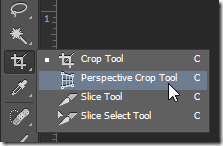
Sometimes it is the simplest tools that get the job done most quickly and efficiently. Photoshop's Perspective Crop Tool isn't the most glamorous tool in the toolbox, but it does its job well and with a minimum of fuss. Fix perspective distortion quickly and easily with this simple tool. [More]
1 8 9 10 11 12 45
3-9