Did you see...

perfectreplica.io High Quality Best submariner replica Watches Online For Sale All of our Rolex watches are carefully selected.

Photoshop

Installing Photoshop Kuler Panel and Why You Need It

26/06/2014

Some readers might remember that I wrote about bringing Kuler color themes into Photoshop some time ago, it was a real frustration that to me, and I dare say many others, that you couldn't connect to you own Kuler themes directly from Photoshop. Well, I'm pleased to say those days are over! [More]

Lightroom and Photoshop – Open as Layers

10/06/2014

Now that Photoshop and Lightroom are available as part of the popular Photoshop Photography program from Adobe, many people are starting to use Lightroom and Photoshop together for the first time. Naturally, that leads to some confusion when it comes to workflow. [More]

30 Second Photoshop – Check and Gingham Patterns

30/05/2014

Great for backgrounds, borders and digital scrapbooking check and Gingham patterns are easy to make in Photoshop And Photoshop Elements... once you know how. To get it in in 30 seconds I go through this a bit quick, but feel free to hit the pause button should you want to follow along. [More]

Adobe Camera Raw Basic Panel and Lightroom Develop Module

29/05/2014

When you open an image into Photoshop or Photoshop Elements you're automatically taken into Adobe Camera Raw. This is a hugely powerful application that you may find does all you need for an image. In this video I take a look at the Basic Panel, this is the same as the Develop Module on Lightroom and is similar to that found in Photoshop Elements. [More]

Wrap a 2D Image onto a 3D Cylinder in Photoshop

27/05/2014

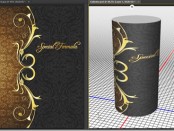
Today we answer a viewer question from the TipSquirrel mailbag: How do I wrap a 2D image onto a 3D cylinder in Photoshop? For an existing file or JPG image, the solution isn’t difficult, but as with all things Photoshop, there are a number of ways to accomplish this task. [More]

Photoshop Retouching Tips – Nondestructive Healing

13/05/2014

The cloning and healing tools in Photoshop continue to improve all the time, and now most of the retouching tools offer Adobe’s amazing “content-aware” technology. However, in order to get the most from the Healing Brush, Patch Tool, Clone Stamp, and all the others, you’ll want to explore ways to accomplish nondestructive healing during your retouching sessions. [More]

Photoshop Crop Tool – Its Not Just For Cropping

08/05/2014

CoverPhotoshop Crop Tool has, you may thing one simple basic function, but it has a whole host of other great features beside just resizing your image. It'll straighten, add canvas and even has different overlays to help with composition. [More]

Photoshop Rounded Rectangles and Bender From Futurama

06/04/2014

I recently created this Bender from Futurama as an exercise for a live class and posted the result on line. There was some interest so I thought I'd share it with all my TipSquirrel friends. As mentioned in the video, the file is available, with all the finished layers and guides. You'll find it beneath the video in the 'Media locker'. All this is is a way to share the post and keep the content free to all. [More]

Abstract Photoshop Technique

03/04/2014

There are endless ways to create abstract images, but here’s one that’s just fun. This abstract Photoshop technique has you interacting with the image, pushing pixels around, and it can be as much fun as finger painting, but without all the mess. The way this works is to start with an image that has vibrant colors and a bit of contrast and texture, then warp and manipulate layers, blending the results together using the Photoshop layer blend modes. You’ll never know where you’ll end up when you start, but the exploration is half the fun. This abstract Photoshop technique is flexible and extensible, and you can add on to your heart’s content. In this video, I even go so far as to take a copy of the image and wrap it onto a 3D sphere to add some additional geometric surrealism. [More]

Animate Photoshop Layer Styles to Make a Channel Bug

21/03/2014

A channel bug sits in a corner of the screen and acts as a little 'watermark' or ident for your video. They're really easy to make and just as easy to animate using Photoshop CC or Photoshop Extended. In this video I show you how! [More]

Pen Tool in Photoshop–Putting it all Together

18/03/2014

In this video, we step through the process of extracting an object from a busy background – one that doesn’t work well at all with the quick selection too, nor any of the pixel based selection tools. The Pen Tool is the right tool for this job, and we’ll step through the practical use of the Pen Tool for this [More]

Intro to Keyframes in Photoshop : Animating Masks

14/03/2014

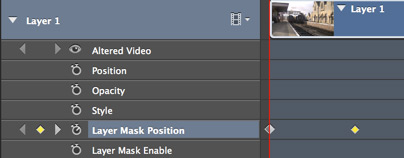
In this video I take a short video clip and, using masks and keyframes, make a simple introduction to the video. Keyframes are a major part of video editing and are used extensively through the whole Creative Cloud and Creative Suite. [More]
1 7 8 9 10 11 45
3-9