Did you see...

perfectreplica.io High Quality Best submariner replica Watches Online For Sale All of our Rolex watches are carefully selected.

Photoshop

Importing Kuler Themes into Photoshop

17/07/2013

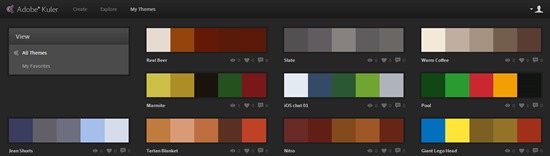
If, like me you’ve fallen in love with the Adobe Kuler mobile app (iOS) you may have gotten frustrated that you can’t import the themes into Photoshop, they are after all .ase files, for Illustrator right? Good news! You can bring them into Photoshop. [More]

Quickly Spot Mistakes in Your Photoshop Masks

12/07/2013

If you do any kind of Photoshop work using selections and cutouts, you'll know how important it is to be as accurate as possible, particularly when working with images of people. It's easy to miss areas of an object when using the Quick Selection tool, especially when working in intricate areas such as hands, bits of clothing and so on; irregularities can stick out like a sore thumb - or a missing one. They also have a habit of only showing themselves after we think we've finished the cutout, or worse still, we don't notice them at all! [More]

Single Image Collage in Photoshop

09/07/2013

Starting with a single image in Photoshop, we can create the illusion of a casually stacked collage of smaller snapshots. It's a great look for event and vacation images! [More]

Easily Manage the Size of Your Panorama with Photoshop CC

08/07/2013

When you’re putting together a panorama you might find that the final image is way bigger than you’d have hoped for. Adobe Camera RAW has always allowed you to reduce the size of your images before importing but with the new Photoshop CC we’re given even more control. [More]

Camera Raw Integration in Photoshop CC

02/07/2013

Photoshop Camera Raw as a filter? That's right, and even more besides. The Adobe Camera Raw toolset is becoming more and more integrated into our workflow in Photoshop, giving us a common set of tools and a more efficient workflow. [More]

Liquify Editable Text in Photoshop

01/07/2013

In this video I take a look at how recent updates to Photoshop allow us to fun the Liquify Filter on text. Because this is a Smart Object it means the text remains completely editable, but there’s more! Let me explain…. [More]

Overview of Topaz Clarity 1.0 for Photoshop and Lightroom

25/06/2013

Topaz Labs has recently released the newest addition to their line of plug-ins for Photoshop, Lightroom and Aperture: Topaz Clarity 1.0. In today's video, I provide an overview of the Clarity plugin, and demonstrate why it has the potential to become one of my most-used tools. [More]

Line Drawing in a Photograph using Photoshop Clipping Masks

24/06/2013

In this video I answer a reader question that was asked of me through our Facebook Page. ”How”, they wondered, “can you make it look like a drawing’s being held up in front of a photograph?” Its actually very straight forward, and would be easier if you took a couple of photos at the same time. Me, I head over to Fotolia and get some images to help me out! If you recognise the tip on making the line drawing part of this tutorial it may be that you saw it when it was my entry to The Next Photoshop Evangelist competition. [More]

Adding A Fold To An Image In Photoshop Touch

10/06/2013

In this video I take a photo into Photoshop Touch to add a fold. You can do this in the stand alone app on your tablet but working with Creative Cloud gives it even more power! The image can be saved and reopened in Photoshop with all the layers in tact! [More]

Scanned Sketch Extraction in Photoshop

28/05/2013

If you have a scan with a white background, how do you remove the white? There are several ways, some more effective and more versatile than others. In this video, we'll take a look at a variety of ways to drop out the white and leave you with the details you need. [More]

Creating Torn Edges in Photoshop and Photoshop Elements

24/05/2013

This month I'm donning my top hat and tuxedo to perform a spectacular card trick for you. First, I'll tear the card in half and then, without so much as a wave of a magic wand, I'll seamlessly mend it right in front of your very eyes! Seriously, though, if you've ever gone delving into the many filters available in Photoshop and Photoshop Elements, you will no doubt have come across the Torn Edges filter. As the name suggests, it will give you a super torn edge effect on your image. Well, no, actually it won't, not if it's applied directly to the image, that is; all you'll end up creating is a fuzzy monochrome graphic element. [More]
1 11 12 13 14 15 45
3-9