Did you see...

perfectreplica.io High Quality Best submariner replica Watches Online For Sale All of our Rolex watches are carefully selected.

Tutorial

Photoshop Workspace Automation

15/10/2013

By default, Photoshop remembers the last workspace configuration you had active, and returns to that configuration when you restart the application. However, you might prefer to have Photoshop always start in one specific custom workspace configuration. Here's how to do it, with a simple action and the Script Events Manager. [More]

Auto Correct Verticals and Horizontals in ACR 8 and Lightroom 5

14/10/2013

In this video I take a look at a brand new feature to ACR 8 and Lightroom 5. With just one click ACR will correct the vertical and horizontal perspectives of your image. This works great for all kinds of images but especially architecture, with this feature your buildings will no longer “lean backwards”. [More]

Remove noise from video in Adobe Camera RAW

11/10/2013

With almost every DSLR now able to shoot amazing HD video, the worlds of stills photography and video are getting ever closer. Coming from a photographic background can be extremely useful when moving in to video. Both mediums require skills like composition, exposure control and understanding depth of field however there some things stills photographers take for granted that videographers do not. [More]

Saving custom book pages in Lightroom 5

09/10/2013

New in Lightroom 5, you can save custom page layouts within the Book Module. This is a great time-saver, and a good way to develop and re-use your own unique page styles as you create photo books. [More]

3D Fish in Photoshop CC

01/10/2013

Use the 3D extrusion capabilities of Photoshop CC to create a realistic school of 3D fish, easily, by starting with a simple flat image. [More]

High Key Ice Queen Effect in Photoshop

30/09/2013

In this video I take a shot of Paige and transform it into a high key ‘Ice Queen’ image. This technique is all about the set up so time should be taken at the start, then its as easy as pie! I hope you enjoy this technique, as always we’d love to see what you do with it. [More]

Live Shapes in Photoshop CC

24/09/2013

Photoshop CC continues the progression started in version CS6, of offering ever more powerful and flexible vector shape capabilities. In addition to true fill and stroke, we have live shape properties adjustable on the fly. Learn how to take advantage of the new live shapes in Photoshop CC. [More]

Photoshop Quick Selection Tool

19/09/2013

One of the easiest ways select objects with complex shapes, especially in a high-contrast photograph, is to use the Quick Selection Tool. It provides a simple "brush to select" technique, with several options for tweaking and refining the initial selection, including direct access to the Refine Edge command. [More]

3D Filmstrip Effect in Photoshop

17/09/2013

Take advantage of the 3D capabilities of Photoshop to make a real film strip that you can twist, move and position in your composition with complete flexibility. [More]

Our New Photoshop Workshop

16/09/2013

We’re delighted to announce our latest workshop! Run by Eric Renno, this workshop will look at workflow, and making the most out of Photoshop, to take you images from “Dull to Dynamic”. As an Adobe Certified Expert, Eric knows Photoshop inside and out and has a few tricks up his sleeve, while his experience as a lecturer means he knows how to bring fun into learning. He’ll be passing on time saving ideas as well as some actions and presets that he finds useful, all of which you’ll take home with you. [More]

Replacing a view through a window with clipping masks in Photoshop Elements

13/09/2013

In this month's Photoshop Elements tutorial I'm going to demonstrate a neat trick for changing the view through a window. There are many ways to approach this, of course, this is a particularly versatile method, however. Instead of cutting out the glass areas of the window and putting the new view beneath, we'll use the window panes as a clipping mask. If you're unfamiliar with the concept of clipping masks, it's a way of hiding parts of a layer based on the visible areas of the layer below. In this case, only the parts of the new view will be visible where they overlap the window panes, giving the impression that we're seeing the scene behind the window frame. This is often preferable to the usual masking technique, particularly if we want to use multiple images to build the composite, where the layers would need to be beneath the target layer as we can control the visibility without the need to move the layers around in the stack. If we want to see the whole image, we simply unclip it. [More]

Tonemap 32 bit Images in Lightroom

10/09/2013

Lightroom has the capability to work with 32 bit images. This allows you to use all the familiar Lightroom Develop Module controls for adjusting and enhancing your high dynamic range (HDR) merged images. The results are natural and realistic, and it's a pleasure to work with the full range of adjustment controls and tools with which we're so familiar right within Lightroom. [More]

Add a Subtle Punch to Eyes in Photoshop

09/09/2013

In this video I add punch in such a way that you might first think that its counter intuitive. Subtlety is the key here. This technique is based on a tutorial I saw many years ago by retoucher extraordinaire, Dave Ceurdon. [More]

Cropping in Photoshop CS6 and CC

06/09/2013

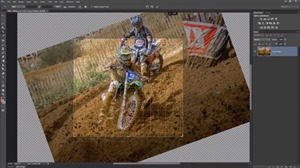
The crop tool is a fundamental tool in Photoshop. I use it on almost all my photos and not just for cropping closer. Used correctly the crop tool can straighten horizons, add a dramatic angle and even make a border. So when Adobe redesigned the Crop Tool in Photoshop CS6 they radically changes how the tool works. Any change to the Crop Tool was going to be tricky for die hard Photoshop users and some features are more welcome then others. In this video I’ll run through the major features that I use day to day as well as some of the further changes made to Photoshop CC’s Crop Tool. I know a few Photoshop users wish that Adobe had left the Crop Tool alone so at the end of the video I’ll tell you how to turn back the clock and get as close to the classic cropping experience as possible. [More]
1 16 17 18 19 20 62
3-9