Did you see...

perfectreplica.io High Quality Best submariner replica Watches Online For Sale All of our Rolex watches are carefully selected.

Tutorial

Photoshop Color Sampler Tool

29/07/2013

Before we were treated to the delights of Kuler Photoshop users were able to find the colour details in an image with the Color Sampler Tool. Now it lays quietly hidden but it really shouldn't, its a hugely helpful tool. [More]

Image Based 3D Lights in Photoshop

23/07/2013

Photoshop CS6 and later offers the traditional light sources for your 3D models: infinite lights, point lights, and spot lights, all fully customizable. However, there's another kind of light - an "image based light," or IBL - that has some special features. We can use any image as a light source, and in doing so, we can help our 3D model to more closely match the colors of its environment, adding an extra touch of realism. [More]

Match Color Command in Photoshop

22/07/2013

A great, and quick, way to change the feel of your image is to match it’s tones to that of an image you already have. Photoshop makes this incredibly easy and wonderfully flexible with the use of the Match Color command. In this video I’ll look at two images and see how Match Colour can give some amazing results. [More]

Photoshop: Layer Styles on a Group

18/07/2013

Did you know that you can add Layer Styles to a group of layers? As of Photoshop CS6, you can! In this video I take a look at just some of the benefits, [More]

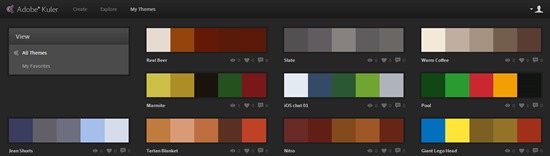
Importing Kuler Themes into Photoshop

17/07/2013

If, like me you’ve fallen in love with the Adobe Kuler mobile app (iOS) you may have gotten frustrated that you can’t import the themes into Photoshop, they are after all .ase files, for Illustrator right? Good news! You can bring them into Photoshop. [More]

Lightroom’s Filename Template Editor

16/07/2013

There are various places within Lightroom where you can rename files - during import, during export, and within the Library module. But, in each case, Lightroom offers a Filename Template with a powerful editor. Understanding the capabilities of the Filename templates is the key to unlocking tremendous flexibility in renaming your image files. [More]

Quickly Spot Mistakes in Your Photoshop Masks

12/07/2013

If you do any kind of Photoshop work using selections and cutouts, you'll know how important it is to be as accurate as possible, particularly when working with images of people. It's easy to miss areas of an object when using the Quick Selection tool, especially when working in intricate areas such as hands, bits of clothing and so on; irregularities can stick out like a sore thumb - or a missing one. They also have a habit of only showing themselves after we think we've finished the cutout, or worse still, we don't notice them at all! [More]

Single Image Collage in Photoshop

09/07/2013

Starting with a single image in Photoshop, we can create the illusion of a casually stacked collage of smaller snapshots. It's a great look for event and vacation images! [More]

Easily Manage the Size of Your Panorama with Photoshop CC

08/07/2013

When you’re putting together a panorama you might find that the final image is way bigger than you’d have hoped for. Adobe Camera RAW has always allowed you to reduce the size of your images before importing but with the new Photoshop CC we’re given even more control. [More]

Draft Text Effect in Photoshop

05/07/2013

Photoshop comes with a bucket full of fonts as standard but let’s be honest, on the whole they are all very worthy and extremely dull. So in this tutorial I’m going to show you a simple trick that you can apply to any font to change it from dreary to dynamic. The effect I’m aiming for is similar to how a designer might have drafted out text in years gone by. We’ll be adding guide lines, sketch marks and wobbly lines and it’s all done using standard Photoshop filters and a few layer tricks. [More]

Cartoon Vector Clouds with Photoshop

04/07/2013

With Photoshop we can create vector images, but as they are rendered as pixels and not points they become vulnerable to the same problems associated with normal pictures – eg degradation when blown up. But that's not to say we cant have some fun and make some cool pictures using simple techniques. [More]

Camera Raw Integration in Photoshop CC

02/07/2013

Photoshop Camera Raw as a filter? That's right, and even more besides. The Adobe Camera Raw toolset is becoming more and more integrated into our workflow in Photoshop, giving us a common set of tools and a more efficient workflow. [More]

Liquify Editable Text in Photoshop

01/07/2013

In this video I take a look at how recent updates to Photoshop allow us to fun the Liquify Filter on text. Because this is a Smart Object it means the text remains completely editable, but there’s more! Let me explain…. [More]
1 18 19 20 21 22 62
3-9