Did you see...

perfectreplica.io High Quality Best submariner replica Watches Online For Sale All of our Rolex watches are carefully selected.

Photoshop

Hard Restoration, Easy Fix in Photoshop

19/12/2012

The first thing you may think as you look at today’s before image is “How in the world am I going to get all of that red-colored mess off?” Or it may not be, but for the sake of argument, we’ll just say it is. Here’s what you need to do to fix this. Pay attention to all the steps, here… [More]

The 3D Ground Plane in Photoshop CS6 Extended

18/12/2012

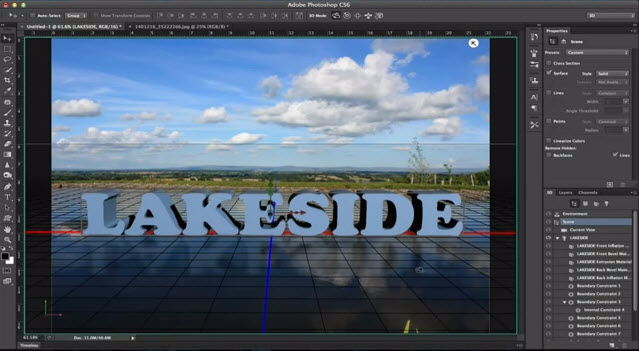
When the 3D Ground Plane first made its appearance in Photoshop CS5 Extended, it was slightly useful, a little bit tricky, and very much hidden from view. With CS6, Adobe brings us a more useful design element - one that catches shadows, and casts reflections - and all in real time while you edit. This makes it an interactive tool that is both easy to use and effective in bringing added realism to your composites. [More]

Blur Gallery and Liquify Smart Objects

13/12/2012

I thought today would be a good time to post an update on Photoshop CS6, and the new Photoshop features Creative Cloud members received this week. Chief among them is Smart Object layer support for the Blur Gallery, and the Liquify Filter. This tutorial provides a quick overview of how the features in Blur Gallery and Liquify can be combined for an interesting creative effect. Sure, it's fall colors but I bet some of you are already tired of the barren winter trees [More]

Photobooth Template for Photoshop

10/12/2012

For this post I created a very simple template for creating a photo booth type photo strip. Its easy enough to use but there’s a couple of Photoshop techniques in the video too. [More]

Photoshop – Quick Tip for Working with Paths

04/12/2012

Hate the Pen Tool, no problem. My first tip is for you to try the Freeform Pen Tool, and be sure to check the Magnetic option. You're now creating paths with a tool that acts like the Magnetic Lasso. [More]

Social Media Mock-Up Template for Photoshop

03/12/2012

I was asked recently to create a screen for a social media page for use in a video production. Rather than cut and paste a one off I made a fully editable page for repeated use. I’m offering this [More]

Orton Effect with Photoshop Smart Filters

27/11/2012

The key feature of the Orton effect is an overexposed image containing the detail, in good focus, sandwiched together with a second overexposed copy containing the color information, out of focus. With slides, the out of focus layer would also be overexposed, but combining the two slides (or three) has a darkening effect that counteracts the overexposed look of the individual slides. Here's how we can achieve it in Photoshop easily. [More]

Opening Jpeg and Tiff Files in Adobe Camera Raw

26/11/2012

I was recently asked how I was opening Jpeg files in Adobe Camera Raw (ACR). The reader told me that they had never been able to do this and wondered if this was a clever ‘Extra’ in Photoshop. Not at all is the answer so let me explain how it’s done, its just a setting hidden away. [More]

Splitting 3D Text in Photoshop CS6

20/11/2012

Photoshop CS6 brings us a great new 3D interface, with a great deal of new capability for working with our 3D objects. One new feature is the ability to split apart text into separate letters after the 3D text has been created. In today’s video, you’ll learn how to create 3D text, and how to split it apart. [More]

Three Ways to Go Mono in RAW

16/11/2012

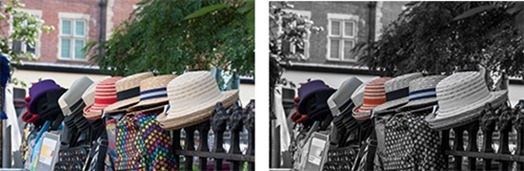
Do you prefer Black and white or Monochromatic? Whatever you choose to call it, taking away the colour from your photo will completely change it and often for the better. You might be thinking that black and white is just that, black and white? So how can there be more than one way to do it and why would you want to even bother? Well just because mono images only contain shades of grey, that doesn't stop us taking control them and that’s exactly what I’m going to show you in this video. [More]

Adjustable Patterns in Photoshop

13/11/2012

Filling an area with patterns in Photoshop is a one-way street, and you're at the mercy of the pattern designer as to the scale of the results you'll get. Ordinary pattern fills are not scalable, in fact, there is no control or setting at all for a pattern fill. Use the Pattern Overlay layer style for a more customizable pattern fill. [More]
1 15 16 17 18 19 45
3-9