Did you see...

Articles by Eric Renno

About Eric Renno (435 Articles)
Eric’s background in video editing with Adobe Premier led to his interest, and then obsession, with Photoshop. Starting TipSquirrel.com as a hobby he is proud to have gathered together and be a part of The Photoshop Nuts. Known as only “TipSquirrel” for two years, Eric ‘went public’ when he was a finalist in The Next Adobe Photoshop Evangelist competition. He’s also been a finalist in Deke’s Techniques Photoshop Challenge. While still taking on some freelance work, Eric has recently become a Lecturer at Peterborough’s Media and Journalism Centre where he enjoys sharing his knowledge as well as learning new skills. This realisation that he loves to teach has made Eric look at altering his career path.

Book Review – Mastering Photoshop Layers

31/01/2014

As a reader of many Photoshop related books I’ve come to expect certain aspects to be contained within them. I want clear instructions, illustrated examples and information I haven’t found anywhere else. Mastering Photoshop layers ticks all the boxes. [More]

Linked Smart Objects

27/01/2014

In a recent update to Photoshop CC adobe introduced Linked Smart Objects. They work the same as Smart objects but with a unique, ad helpful difference, they link back to the source, let's look at an example; [More]

Photoshop CC New Workflow Features January 2014

17/01/2014

In the latest update to Photoshop CC we saw a couple of great new features added. These 'sexy' new features are great for making headlines, but what about those more subtle upgrades that make our workflow that little bit easier. Here's my pick of the bunch; [More]

Photoshop Update – January 2014

16/01/2014

Today (16th Jan 2014) sees a major update to Adobe's Creative Suite and in the upcoming days and weeks we'll be exploring them in more detail. For now here's a great overview from Adobe Evangelist Terry White; [More]

Making a Zig Zag Pattern in Photoshop

03/01/2014

Recently I was asked about making a Photoshop document with an editable zig zag pattern so I set off looking into using the pen tool and all manner of shenanigans, then I thought about using filter, here's what I came up with; [More]

Facebook Cover Template Photoshop Document

29/12/2013

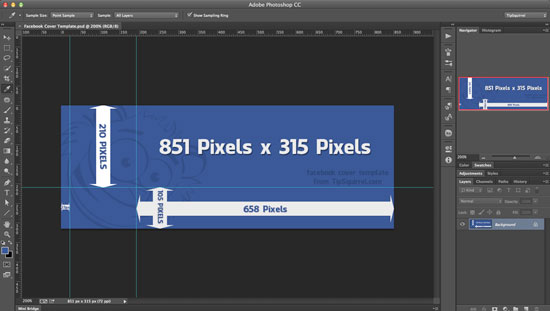
In a previous post I outlined Cropping For a Facebook Cover in Photoshop and since then I’ve been asked for the dimensions to fit around the profile picture. So, today I thought I’d make a template to make things much easier. There’s two files, a PSD that has the guides on the template and a jpg. [More]

Photoshop Content Aware Scale

20/12/2013

Content Aware Scale allows you to reduce, or enlarge, your image without it causing the image to become elongated or squashed. In this video I look at three ways to use this incredibly powerful feature in Photoshop. [More]

Text on a Circular Path with Photoshop Elements

02/12/2013

A little while ago I demonstrated how to put text on a circular path using Photoshop. I’ve been asked a few times since if the same result can be achieved in Photoshop Elements. The answer is bit yes and no, by its nature Photoshop Elements has some restrictions but in this video I demonstrate some workarounds to achieve something very similar. [More]

Photoshop Shake Reduction Filter

25/11/2013

In this video I take a quick look at a Photoshop Shake Reduction Filter. When I first saw this demonstrated I thought we were years away from seeing this as part of the public release, yet here it is. Some images fair better than others but I’ve it a try before you discard an image, you never know! [More]

Photoshop CC and Lightroom for All!

20/11/2013

Adobe today announced that those new to Photoshop can sign up to Adobe Creative Cloud for Photographers for £8.78/month as an annual subscription. This deal was previously available to those owning a copy of a CS product. However…. This deal is only available until Dec. 2, 2013 (7:59 pm GMT) [More]

Oil Paint Filter Workflow for More Natural Looking Images

11/11/2013

Over the past couple of months I've been exploring the Oil Paint filter in Photoshop. One of the things I wasn't happy about was the swirly, un-natural effect it was encouraging. So, I've come up with a workflow to help create more natural looking images, with a more natural paint feel to them. This technique is very easy and as you can see, even with explanation this one only takes 12 minutes to achieve. [More]
1 11 12 13 14 15 29