Did you see...

Articles by Eric Renno

About Eric Renno (435 Articles)
Eric’s background in video editing with Adobe Premier led to his interest, and then obsession, with Photoshop. Starting TipSquirrel.com as a hobby he is proud to have gathered together and be a part of The Photoshop Nuts. Known as only “TipSquirrel” for two years, Eric ‘went public’ when he was a finalist in The Next Adobe Photoshop Evangelist competition. He’s also been a finalist in Deke’s Techniques Photoshop Challenge. While still taking on some freelance work, Eric has recently become a Lecturer at Peterborough’s Media and Journalism Centre where he enjoys sharing his knowledge as well as learning new skills. This realisation that he loves to teach has made Eric look at altering his career path.

Photoshop 2014 – New Features and My Favourites

18/06/2014

Today saw Adobe make an upgrade to it's Creative Cloud and with it some great new updates to Photoshop. In this video I take a look just a few of my favourites. There's loads more, there's a comprehensive list below the video. [More]

Opening Vector Files in Photoshop

13/06/2014

If you download assets from the internet then you might come across a file format SVG, or scalable vector graphics. In this video for Fotolia I take a look at opening vector files in Photoshop and combining them in your pixel based project. [More]

Masking Photoshop Layer Styles

06/06/2014

Masking an image with Layer Styles and putting another image behind can result in some strange goings on, but the answer could be as simple as the click of a button. In this video for Fotolia I take a look at putting text behind an image and how to solve any issues you might have, while keeping everything editable. [More]

Easy Folded Banner Vector Shape in Photoshop

31/05/2014

The folded banner is a popular feature at the moment so it was no surprise that I was asked if i could come up with an easy way to create one. The result is not only easy but is created entirely with vectors which means its scalable while remaining completely editable. Don't panic if you're not used to using vectors, there's nothing that a beginner won't be able to handle here, yes I use the Pen tool but to make just a single click. [More]

30 Second Photoshop – Check and Gingham Patterns

30/05/2014

Great for backgrounds, borders and digital scrapbooking check and Gingham patterns are easy to make in Photoshop And Photoshop Elements... once you know how. To get it in in 30 seconds I go through this a bit quick, but feel free to hit the pause button should you want to follow along. [More]

Adobe Camera Raw Basic Panel and Lightroom Develop Module

29/05/2014

When you open an image into Photoshop or Photoshop Elements you're automatically taken into Adobe Camera Raw. This is a hugely powerful application that you may find does all you need for an image. In this video I take a look at the Basic Panel, this is the same as the Develop Module on Lightroom and is similar to that found in Photoshop Elements. [More]

Book Review : The Digital Renaissance

24/05/2014

If you’re an artist and a reader of this blog then the chances are you use Photoshop to create new pieces of art, if so then read on. If you rely more on the photographic image to start your image then sorry, this book might not be for you. There’s 12 tutorials in total each covering a different artist, their style and a tutorial in either Photoshop or Painter. The biography is small and succinct and the development of the style is enough to understand the original process. Then it’s into the tutorial. [More]

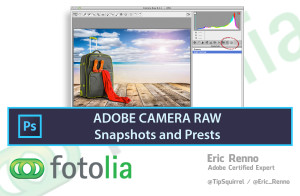
Adobe Camera Raw Preset and Snapshots

22/05/2014

Editing can be a lot of fun but sometimes its nice to be able to automate a process or to be able to repeat settings at the touch of a button. In this video for Fotolia I take a look at a couple of ways to do this using Adobe Camera Raw preset and snapshots, two great ways to help your workflow. [More]

Get 25% Off Entry to Photoshop Live 2014

17/05/2014

Photoshop Live is a brand new event dedicated to all things Photoshop. Taking place at The Brighton Dome (18-19 July), you'll be able to meet and hear from some incredible Photoshop artists. Dedicated to artists, designers and photographers of all levels, the programme has two tracks with Friday 18 July being tailored to artists and designers and Saturday 19 focusing on photography. There will also be the opportunity to get creative with the artists on Sunday 20 July with a Photowalk around Brighton. [More]

Photoshop Crop Tool – Its Not Just For Cropping

08/05/2014

CoverPhotoshop Crop Tool has, you may thing one simple basic function, but it has a whole host of other great features beside just resizing your image. It'll straighten, add canvas and even has different overlays to help with composition. [More]

Make the Most of Text with the Photoshop Character Panel

01/05/2014

Photoshop has a great capability for manipulating text and there's a real powerhouse in the Character Panel. In this video for Fotolia I take a look at all the features in the panel to make a simple poster layout. I look at kerning, glyphs and font sizing among other great features. [More]
1 9 10 11 12 13 29