Did you see...

Articles by Eric Renno

About Eric Renno (435 Articles)
Eric’s background in video editing with Adobe Premier led to his interest, and then obsession, with Photoshop. Starting TipSquirrel.com as a hobby he is proud to have gathered together and be a part of The Photoshop Nuts. Known as only “TipSquirrel” for two years, Eric ‘went public’ when he was a finalist in The Next Adobe Photoshop Evangelist competition. He’s also been a finalist in Deke’s Techniques Photoshop Challenge. While still taking on some freelance work, Eric has recently become a Lecturer at Peterborough’s Media and Journalism Centre where he enjoys sharing his knowledge as well as learning new skills. This realisation that he loves to teach has made Eric look at altering his career path.

Creating Borders Around a Shape in Photoshop

24/12/2014

So Christmas is upon us, this was actually recorded and posted on Christmas Eve, and maybe the eggnog has gone to my head. This application of the technique is a little seasonal and fun but it doeas have some practical applications too. Here I add a border around a shape, but in a way that it matches the shape nicely. You're thinking Select > Modify > Expand aren't you? Well, I think I've found a better way; [More]

A New Video Series – Image Answers

19/12/2014

Over the past month or so I've been meeting periodically with a teaching colleague of mine, Matt Edwards, to do some studio work. While we were there we thought we'd take a look at putting together a new series answering some of the queries i get about image editing. So here we are, the 'pilot' of Image Answers. I'm making an honest request for feedback of this episode, what's good, bad and what would you like to see in future episodes? Thank you! [More]

Fotolia Joins the Adobe Family

12/12/2014

What amazing news, Fotolia are joining the Adobe family! Regular readers will know we've been fans of the stock image site for some time, they've been great supporters of our humble site and we couldn't be more pleased that the two are getting together. The press release says that the Fotolia library will be integrated into the Creative Suite, amazing, to be able to access, and one assumes submit, images from Photoshop will be incredible. [More]

What Do the Shadow and Highlight Sliders Do in Photoshop Smart Sharpen?

05/12/2014

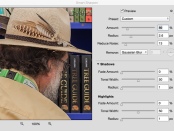
Its the go-to sharpener for many but it holds a little mystery. In this tutorial I'll take a look at those sliders that are hidden away in Photoshop Smart Sharpen. By default the Shadow and highlight sliders in Photoshop Smart Sharpen are closed. If you've been brave enough to twirl them open it might not be immediately apparent what they do, so lets take a look; [More]

Photoshop for Photographers – Book Review

27/11/2014

Photoshop is such a massive and versatile program that its amazing that a book would be needed aimed at a specific group of users. The truth is, the tools and filters in Photoshop are so vast and flexible that this is probably the only way to learn the software. What makes this book stand out against others in this genre is what it isn't. What this book isn't is a series of steps to achieve a certain outcome. There's a few in there, but what this book does is something I appreciate greatly, it tells the ready why you do something. [More]

Photomerge (HDR) with Photoshop Elements

15/11/2014

Taking multiple images at different exposures gives us the oportunity to merge them together to make a single image where we can see in the shadows as well as the highlights. You may think this is just for third party software of Photoshop, but its available in Photoshop Elements too! [More]

New Guide Layout in Photoshop CC 2014

05/11/2014

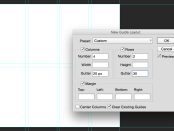
Guides are an incredibly helpful feature in Photoshop but they've always been a little basic. For many, myself included, the answer lay in the brilliant plug in GuideGuide. If you're not lucky enough to have Photoshop CC then this is still, by far, the best alternative. For those with Photoshop CC however check out the new feature, Guide Layouts. [More]

Photoshop Type Mask Tool

31/10/2014

Its a feature of Photoshop that's been quietly sitting behind the Text tool minding it's own business. Photoshop Type Mask Tool hasn't quite seen the end of it's run though and hopefully this article will spur you to give the little guy just one more chance. [More]

Photoshop Flame Filter and Text of Fire

23/10/2014

Photoshop had a little update at Adobe Max this year and one of my fav new features s the Flames Filter. It works really well and has some great effects. Being somewhat of a 'fontahoic' I headed straight to the text paths to see what could be done, and if Photoshop could handle such a complicated path. Turns out it really can! [More]

Aperture, Lightroom and KelbyOne

17/10/2014

If you’re moving over to Lightroom and Photoshop from Aperture you might find it a tedious task to import everything in. That’s where this handy add-on from Adobe comes to the rescue! Flags, Star Ratings, Keywords, GPS Data, Rejects, Hidden Files, Color Labels, Stacks, Face Tags will be imported and converted to the Lightroom way of doing things, what could be easier‽ [More]

Adobe Shape and Photoshop Libraries

10/10/2014

This week (6/10/14) Adobe release a host of new mobile applications and updates to their desktop apps. In this video I take a look at the iOS application Adobe Shape and how assets produced by it can be bought into Photoshop via the new Library panel; [More]

Syncing Lightroom and Lightroom Mobile

05/10/2014

Adobe are making some great moves into the world of mobile editing and Lightroom Mobile is at the forefront. Where the power really comes in is the ability to sync between the mobile and desktop applications. In this video I demonstrate how effortlessly this can be achieved and hopefully show how helpful this can be for editing in the armchair, on the train or in the studio. [More]
1 7 8 9 10 11 29