Did you see...

Articles by Eric Renno

About Eric Renno (435 Articles)
Eric’s background in video editing with Adobe Premier led to his interest, and then obsession, with Photoshop. Starting TipSquirrel.com as a hobby he is proud to have gathered together and be a part of The Photoshop Nuts. Known as only “TipSquirrel” for two years, Eric ‘went public’ when he was a finalist in The Next Adobe Photoshop Evangelist competition. He’s also been a finalist in Deke’s Techniques Photoshop Challenge. While still taking on some freelance work, Eric has recently become a Lecturer at Peterborough’s Media and Journalism Centre where he enjoys sharing his knowledge as well as learning new skills. This realisation that he loves to teach has made Eric look at altering his career path.

Soft Border with Photoshop Selection Techniques

28/10/2013

This technique is one of those ones that acts as a starting point. Creating the soft border really is very simple when you know how, but how you use it has endless possibilities. From Blending Modes to colour, everything will have an impact on how your image is presented. [More]

Photoshop Keyboard Shortcuts Cheat Sheet

23/10/2013

Shortcut key combinations can speed up a workflow and keep creativity flowing uninterrupted. So regular users will make a point of learning a few, then discovering more as they progress.There’s lots of cheat sheets out there but what if you’ve changed the shortcut to something you find easier to remember? Well, Photoshop has a built in cheat sheet maker, it’s nothing fancy, but it can be quite handy. [More]

Creative Cloud – One Year On

21/10/2013

The Creative Cloud comprises of 37 apps, some powerhouses of creativity like Photoshop, others might sit on your desktop until you need to test, tweak, update or add to your mobile device. There’s also some online storage, 20 gigabytes toCC_Aps be precise. This is a nice amount, I’m not going to rave about it, I know a few people that would fill it in a thrice, but for getting your files from device to device, or to share with others it works well. For a little while CC users couldn’t sync and this was a frustration. Now though, its pretty seamless and works as expected. [More]

Auto Correct Verticals and Horizontals in ACR 8 and Lightroom 5

14/10/2013

In this video I take a look at a brand new feature to ACR 8 and Lightroom 5. With just one click ACR will correct the vertical and horizontal perspectives of your image. This works great for all kinds of images but especially architecture, with this feature your buildings will no longer “lean backwards”. [More]

High Key Ice Queen Effect in Photoshop

30/09/2013

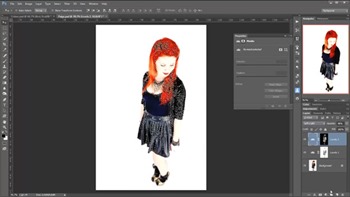
In this video I take a shot of Paige and transform it into a high key ‘Ice Queen’ image. This technique is all about the set up so time should be taken at the start, then its as easy as pie! I hope you enjoy this technique, as always we’d love to see what you do with it. [More]

The Art of iPhone Photography – A Review

23/09/2013

As a reader of TipSquirrel.com you're interested in taking your images to the next level, like me you may want to spend time on them before uploading them to Facebook. Its very easy to get stuck in our ways, a little Snapseed Drama, a frame from somewhere and off it goes, we'll do more from time to time but what can we do, where's our inspiration? [More]

Add a Subtle Punch to Eyes in Photoshop

09/09/2013

In this video I add punch in such a way that you might first think that its counter intuitive. Subtlety is the key here. This technique is based on a tutorial I saw many years ago by retoucher extraordinaire, Dave Ceurdon. [More]

Luminance Masks in Photoshop

02/09/2013

In this video I'll skim over the theory and get stuck in to the very handy luminance mask. Still one of the easiest, and quickest ways to create complicated masks. [More]

Adobe Camera RAW from HDR Pro

21/08/2013

I love HDR pro, and with the new Tone in ACR feature the workflow is quicker and easier than ever! With just a few clicks I can avoid all the HDR sliders and work in Adobe Camera Raw, where I’m much more familiar and comfortable with the controls. [More]

Photoshop Quick Tip: Button Mode and Menu Items for Photoshop Actions

12/08/2013

Actions are a great way to get things done easily and quickly, but what happens when you need to insert a menu command? By default a lot of menu items are unavailable during the recording of a Photoshop Action, but it’s easily overcome. I’ll also be discussing the helpful Button Mode, a great way to launch your Actions. [More]

Photoshop Color Sampler Tool

29/07/2013

Before we were treated to the delights of Kuler Photoshop users were able to find the colour details in an image with the Color Sampler Tool. Now it lays quietly hidden but it really shouldn't, its a hugely helpful tool. [More]

Match Color Command in Photoshop

22/07/2013

A great, and quick, way to change the feel of your image is to match it’s tones to that of an image you already have. Photoshop makes this incredibly easy and wonderfully flexible with the use of the Match Color command. In this video I’ll look at two images and see how Match Colour can give some amazing results. [More]

Importing Kuler Themes into Photoshop

17/07/2013

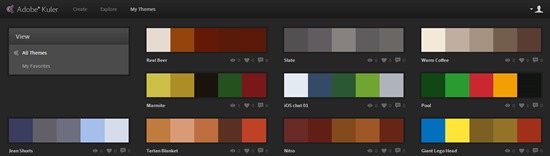
If, like me you’ve fallen in love with the Adobe Kuler mobile app (iOS) you may have gotten frustrated that you can’t import the themes into Photoshop, they are after all .ase files, for Illustrator right? Good news! You can bring them into Photoshop. [More]
1 12 13 14 15 16 29