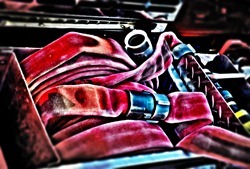
Using the Shadow / Highlight adjustment you can quickly and easily add more contrast and subject focus to an image, then utilising the Iris Blur and its ability to create an Alpha Chanel we can draw more focus to our subject more organically and smoothly.
Author Archive for Richard Harrington
A certified instructor for Adobe and Apple, Rich is a practiced expert in motion graphic design and digital video. Rich is a member of the National Association of Photoshop Professionals Instructor Dream Team, and a popular speaker on the digital video circuit. Rich is an internationally published author. His book, Photoshop for Video, was the first of its kind to focus on Photoshop’s application in the world of video. He is also a contributing author for Apple’s Aperture, iLife ’09 and iWork ’09, Video Made on a Mac, and Producing Video Podcasts. If you want even more Photoshop training, check out his book Understanding Adobe Photoshop CS4. If you have an iPod touch or iPhone, you can get Rich’s Training in your Pocket
by Richard Harrington
Photoshop Fashion Retouch Techniques
by Richard Harrington

In this exclusive video author Richard Harrington takes us through some Photoshop techniques he uses for retouching portraits.
Including masking hair, refining color and spot healing.
Create A Holiday Desktop in Photoshop
by Richard Harrington

In this tutorial, Rich works start to finish in Photoshop to create a Holiday themed desktop. In his workflow he demonstrates, among other things, LUTs and Gradients. You can work along with Rich by downloading the start image here Happy…
Better Vignettes With Photoshop
by Richard Harrington

There’s several ways to make vignettes using Adobe Camera Raw and Photoshop but Richard Harrington has a better brand new way.
Pro Workflow Techniques Start To Finish
by Richard Harrington


In this video tutorial Rich takes us through the processing of an HDR image from start to finish. To get his desired effect, Rich utilises Blending Modes, Blur and the new to CS6, LUTs. Once the image is as how…
Double Process HDR with Photoshop
by Richard Harrington

In this video, Rich Harrington processes a three shot HDR and then double processes the image for extra “crunch”. This video tutorial follows Rich’s workflow from beginning to end.
Filtering a Video Clip with Photoshop Extended
by Richard Harrington


Photoshop’s filters are pretty powerful (and certainly diverse). Knowing this, you may find yourself wanting to apply a filter to a video clip. This is very possible, but there’s a specific workflow you must follow.
A Real World Camera Raw and Photoshop Workflow
by Richard Harrington


In this exclusive to TipSquirrel.com video, Rich Harrington takes us through a real world scenario using Adobe Camera Raw and Photoshop.
Tis The Season – Holiday Photo Clinic
by Richard Harrington


Join Rich as he tackles 12 holiday images. This in-depth class will show you how to fix both standard and advanced problems that often plague holiday photos. With almost an hour of tuition Rich shares some great techniques that will be handy all year!
Shadow and Highlights with Adobe Camera Raw
by Richard Harrington

In this follow-up to last week’s video, Rich Harrington teaches us how to fix clipped shadows, overblown highlights, and soft detail when working with photos shot under low lift conditions.
Mastering Adobe Camera Raw
by Richard Harrington

In this, made for TipSquirrel.com, video, Rich Harrington explores the power of Adobe Camera Raw. Here Rich has a real world example to work though with amazing outcomes.
Fixing Blown-out Skies With Photoshop
by Richard Harrington

I must admit, when it comes to skies… I’m not above cheating. In this tutorial, I’ll show you a technique from my book Understanding Adobe Photoshop CS5. Be sure to also click here to download the hands on-practice files. The…
Working Faster with Photoshop’s Spot Healing Brush Tool
by Richard Harrington


The Spot Healing Brush tool was added to Photoshop as a way to harness powerful blending technology with less work (although the Healing Brush is pretty labor-free to begin with). It can quickly remove blemishes and imperfections in photos without requiring…
Image Clean-up with Photoshop’s Dust and Scratches Filter
by Richard Harrington

The Dust & Scratches filter provides a more powerful way to remove noise from an image. Dissimilar pixels are modified to achieve a balance between sharpening and hiding defects. You’ll want to try different settings on your image because a…
Straighten Your Photos with Photoshop
by Richard Harrington

If your photos are unintentionally crooked, they can look very distracting. There’s lots of contributing factors including a crooked tripod, shooting handheld, or just an uneven surface. But solving the problem is really easy. In Photoshop, select the Ruler Tool…