Making horror art I often get asked how I get texture to show through flesh, its actually very simple and uses my favourite Photoshop tool, Layer Masks. [More]
If you’re like me, you’ve been working on larger and larger files, and sometimes the Liquify command in Photoshop just can’t keep up with all those pixels. Fear not! Here’s a tip that allows you to Liquify smaller files, and transfer the changes you’ve made to a much larger resolution original. [More]
I must admit, when it comes to skies… I’m not above cheating. In this tutorial, I’ll show you a technique from my book Understanding Adobe Photoshop CS5. Be sure to also click here to download [More]
Its that time of year again, so here’s a little rundown of some of the goodies we’ve posted here on TipSquirrel in previous years; Halloween Brushes from Janine Smith In this post Janine [More]
Hi Folks, For this month’s tutorial I thought I’d put together a short video showing you a couple of quick and easy techniques that I regularly use to both Brighten and Colour eyes. As [More]
Smart Objects are one of the more powerful features that have been added to Photoshop in recent years. I think it safe to say that smart objects are considered by most people to fall in to the [More]
Janine Smith was one of the first ‘Photoshop Nuts’ and shared her restoration expertise with readers on a regular basis. Last year saw her record her first course for the excellent Lynda.com [More]
Using a simple 2D layer with a grayscale pattern, it’s possible to create some really interesting and organic looking 3D surfaces using Photoshop Extended CS5. In this video, we examine how the “Create New Mesh from Grayscale” command works, and put it to practical use.
[More]
The Photoshop Nuts are a busy bunch so let’s take the opportunity to see some of the things they’ve been up to. This week we’ll take a look at those that train for a living, while next week [More]
The Spot Healing Brush tool was added to Photoshop as a way to harness powerful blending technology with less work (although the Healing Brush is pretty labor-free to begin with). It can quickly [More]
One of the great things about Adobe Lightroom is its ability to speed up a photographer’s workflow. There are many ways to do this within both the Library module and the Develop module, but [More]
Using Photoshop CS5 Extended, you can create opacity masks for your 3D objects. A 3D opacity mask works like a regular layer mask, except that it shows or hides the 3D surface itself. Once you’ve created your 3D model, why not add some animation to really set things off? [More]
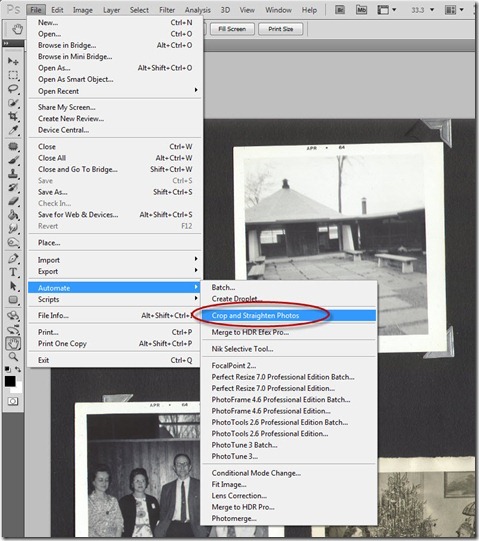
If you’re like me, you probably have stacks of old photographs sitting around in the “to be scanned” queue. In fact, you may, like me, have additional piles from family and friends in the same [More]
TipSquirrel Win Adobe Master Suite CS5.5 To celebrate the launch of Adobe UK Education’s great new competition they’ve kindly given us a copy of Adobe Master Suite CS5.5 Teacher and Student [More]
The Dust & Scratches filter provides a more powerful way to remove noise from an image. Dissimilar pixels are modified to achieve a balance between sharpening and hiding defects. You’ll want to [More]