Did you see...

perfectreplica.io High Quality Best submariner replica Watches Online For Sale All of our Rolex watches are carefully selected.

A Rare Personal Blog. A Thank You

29/10/2012

This week I was very proud to receive confirmation that I’d passed the Photoshop CS6 ACE Exam. There are a few teachers and trainers that have passed this exam but for me, this was super sweet. [More]

3D Layers with Video in Photoshop

23/10/2012

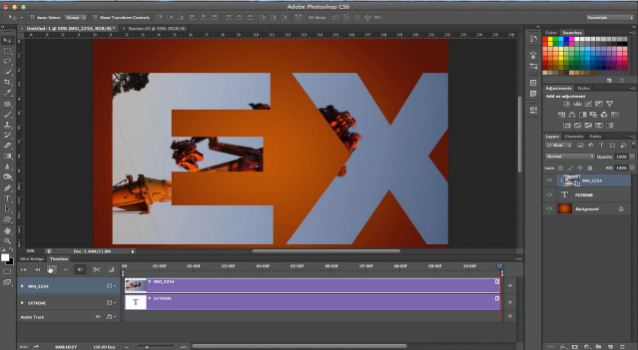
In last week’s tutorial, we looked at Video Masking in Photoshop. Today, we take this project to a whole new dimension – the third dimension – as we learn to apply our video project to the surface of a 3D object. With the video animation playing on the surface of the 3D object, we can create another layer of animation and move it around, adding additional effects for a very flexible and interesting result. [More]

Flame Painted Frame in Photoshop

22/10/2012

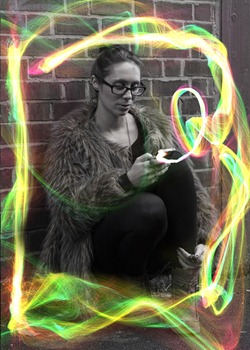
In this Photoshop video I stick with the light streak theme of last week and try out Flame Painter to add an ‘electric’ style border to my image. I’ll be honest, I like using the site more than I like using the results, but does it matter how you have fun so long as you have it? [More]

Drag and Drop from Lightroom

17/10/2012

I was asked recently whether you could drag and drop files from Lightroom onto a memory stick and this raised a few points that I thought were worthy of mentioning here.   To understand the [More]

Video Masking in Photoshop

16/10/2012

Learn how to create a clipping mask for your video within Photoshop CS6 – and see how to animate the clipping mask as well. Create unique effects for your video projects, right within Photoshop. [More]

Creating Light Streaks With Photoshop

15/10/2012

In this Photoshop tutorial I answer another reader question. How, they asked, can I add light streaks into an image. In particular, they wanted to add the streaks around a bottle, so that's what I do here with a quick, and simple use of the Pen Tool, some Layer Styles and a little bit of Warp. Colour and glow can all be changed once the image is finished to give as much flexibility as possible. [More]

Selecting Hair in Photoshop Elements 11

12/10/2012

Photoshop Elements keeps getting better and better with each new release. With the recent release of Elements 11, Adobe has crammed even more Photoshop’s power into Elements with the addition of [More]

Smoothing Texture in Photoshop

10/10/2012

A lot of old photos have a textured appearance. Some are so bad they look like they were printed on a heavy watercolor paper, which is a very artsy effect, I'm sure, just not to everyone's taste! Texture can be corrected, especially if it isn't too terribly deep, and here's a super easy way to do it! [More]

Adjustment Layer Blend Modes in Photoshop

09/10/2012

If you’ve been a TipSquirrel reader for a while, you know about adjustment layers. Maybe you even know about blend modes. But, did you know you can combine both, adding a wider range of effects [More]

Targeted Adjustment Tool in Adobe Camera Raw

08/10/2012

In this video I take a look at a feature of Adobe Camera Raw that is often over looked, Targeted Adjustment Tool. I switch between using this and heading straight over to the right hand side, but find using the tool is just that bit quicker and ‘less fiddly’. [More]

Building an ebook in Lightroom

05/10/2012

Today I thought I would try something a little different.. How about creating a book in Adobe Lightroom 4, converting it to an ebook and publishing it to the Apple iTunes (and Blurb book store). Does [More]

Content Aware Craziness in Photoshop

02/10/2012

Content Aware Scale is typically used to protect certain areas of an image when you scale up or down. But, what if you used it in the opposite way – to direct Photoshop where you want certain [More]

Making Corners Lift From The Page in Photoshop

01/10/2012

In this Photoshop tutorial video I answer a reader question. How, they asked, can you easily make it look like the corners of the photograph are lifting from the background? I demonstrate two ways here, with some tips along the way including finding the centre of an image and separating Layer Styles from a layer (yep, you really can!) [More]
1 32 33 34 35 36 80
3-9