Did you see...

perfectreplica.io High Quality Best submariner replica Watches Online For Sale All of our Rolex watches are carefully selected.

Step Into Your Image with Photoshop and After Effects

25/03/2013

In this video I take a flat, 2D image and transform it into a 3D image that a camera can pass into. If you’ve not worked with Vanishing Point before then you may wish to take a quick look at Multiple Planes with Photoshop (No 3D Layers). There’s two techniques here, one uses only Photoshop while the second uses Photoshop and After Effects. [More]

Color Effects with the Photoshop Color Lookup Adjustment

22/03/2013

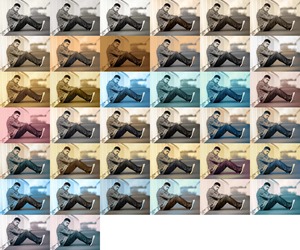
Today we'll take a look at an image adjustment that is often overlooked by photographers. The Photoshop Color Lookup adjustment was introduced in CS6, to provide video makers with a means of modifying the "color look" of their clips, as they move them through different parts of the post-production workflow. However, this adjustment can also be useful to photographers, and lends itself well to experimentation. [More]

3D in Photoshop CS6 – Basic Materials

19/03/2013

In this tutorial, we dive more deeply into the world of 3D in Photoshop CS6. Building on the extrusions from the previous video, we add some basic materials, create some texture and then composite our 3D object into a scene. [More]

Cripes! I’m on The Photoshop Show

18/03/2013

Its a pleasure to say that on Tuesday 19th / Wednesday 20th depending on your time zone, I’ll be joining the hosts of The Photoshop Show Jan Kabili, Ron Clifford and Dave Bell as their ‘featured guest’. [More]

The Final Picture–Post Processing with the Experts

18/03/2013

A few months ago a couple of the Photoshop Nuts were contacted to see if we’d like to work alongside Welshot Imaging Academy with some of their projects, and I’m delighted to say the first of these is taking place next month. [More]

Image Restoration With Photoshop – Getting Rid Of Red Spots

13/03/2013

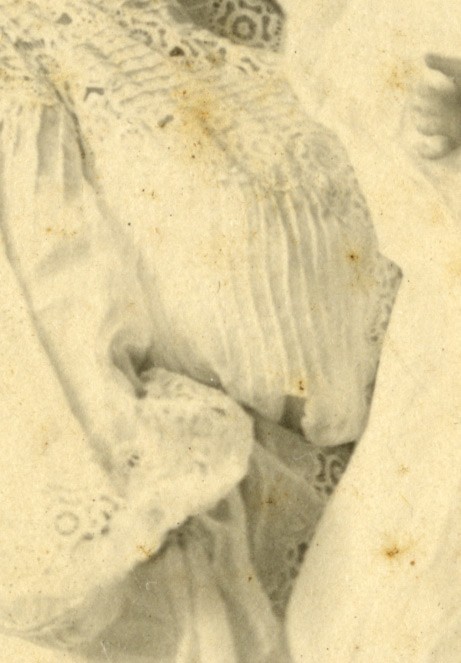
Just like us, photographs get age spots. That’s what those rusty spots are, places where the emulsion is breaking down due to age. Typically the ways they’re dealt with is either with the usual suspects, the clone or patch type tools, or by stripping away the blue and green channels (old school) or using the Black & White Adjustment on one of the red filters. [More]

3D in Photoshop CS6 – Extrusions

12/03/2013

Extrusions are a useful and fun way to create 3D objects in Photoshop CS6. In this tutorial, we'll cover the basics of creating and manipulating an extruded object in Photoshop CS6. [More]

Multiple Planes with Photoshop (No 3D Layers)

11/03/2013

In this video I take a look at a feature of Photoshop that’s been around for some time, Vanishing Point. Using this filter I’m able to add three elements to my image, Logo, Text and shadow, all in perspective. There’s no 3D in this so Photoshop users of CS4 and before should be able to follow along. [More]

Photographic Toning Maps in Photoshop

08/03/2013

Gradient maps have been around for a long time in Photoshop and many photographers have come to rely on them as a quick and powerful way of converting colour images into mono, toned and even split toned photos. There’s really only one problem with Gradient Maps and that’s the limited range of effects that can be achieved with the default settings. That means you’ll need to spend time and energy creating a variety of maps and whist that’s not too hard to do (see the video for details) users of Photoshop CS6 have a great alternative. One of the hidden gems of Photoshop CS6 is the all new Photographic Toning Gradients. These have been designed by the engineers at Adobe to recreate the toning of tradition photographic effects. Things like sepia, selenium and even spit toning is now one click away. [More]

Working with Smart Objects and transformations in Photoshop CS6

07/03/2013

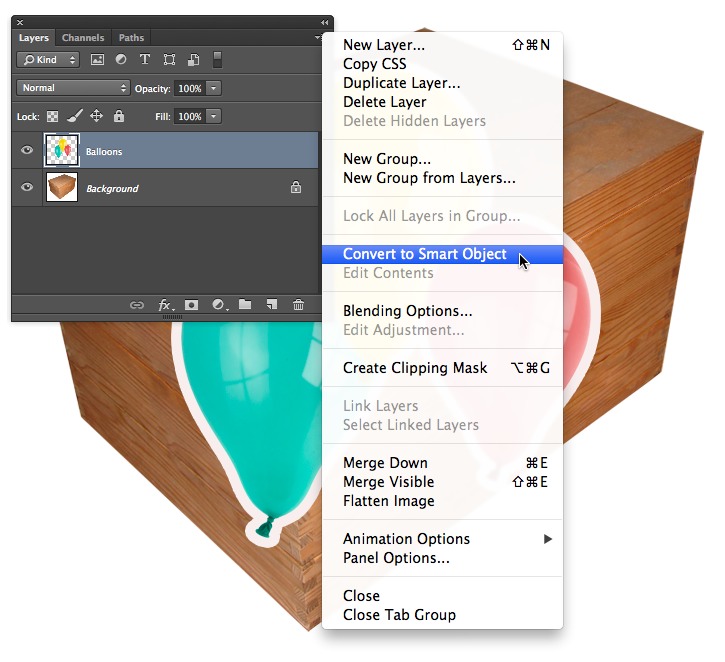
This month I thought I'd highlight a feature of Smart Objects in Photoshop and, to an extent, Photoshop Elements that often gets overlooked. Aside from the ability to scale and distort layers without loss of quality and change the contents simultaneously across multiple copies, another useful trait is that they remember the previous distortion settings; image warp in particular. This is incredibly useful for designers, as it makes it far easier to experiment with idea or creating photo montages, where objects need to be placed into a scene in perspective [More]

3D in Photoshop CS6–Creating 3D Objects

05/03/2013

Mike Hoffman continues his series of tutorials on 3D within Photoshop. Any 3D scene in Photoshop starts with some basic elements. In this video, learn the essential ways to create 3D primitive objects within Photoshop CS6. [More]

3D in Photoshop CS6 – 3D Basics

26/02/2013

Photoshop CS6 makes creating and using 3D objects easier than ever. In order to become proficient with 3D, you have to master the basics. In this first video of an ongoing series, we'll explore the fundamentals of 3D and the Photoshop 3D workspace. [More]
1 27 28 29 30 31 80
3-9