Did you see...

perfectreplica.io High Quality Best submariner replica Watches Online For Sale All of our Rolex watches are carefully selected.

Video Tutorial

Photoshop Guides and Rulers

19/02/2013

Learn to use Guides and Rulers in Photoshop to accurately and precisely place and align images and objects. Guides are essential when exact measurements or precise alignment is required. [More]

Dynamic Slideshows with Photoshop CS6

15/02/2013

One of the best new features of Photoshop CS6 is the amazing way Adobe have incorporated video editing abilities into Photoshop. Now if like me you’d call yourself a photographer rather than a videographer , then you might be tempted to skip this post but trust me, this is a 100% photo friendly tutorial. [More]

A Kinder, Gentler HDR in Photoshop CS6

12/02/2013

HDR doesn't have to be gritty, edgy, with radioactive colors. At its heart, HDR is a technique that can allow you to more accurately capture the images you see - as long as you aren't too heavy-handed with the controls. [More]

Layer Comps in Photoshop

05/02/2013

The Layer Comps feature in Photoshop allows you to create and save a variety of different compositions within a single file, and switch back and forth between the layouts quickly and easily. You can even save all your comps automatically to a group of files. [More]

Photoshop Fashion Retouch Techniques

03/02/2013

In this exclusive video author Richard Harrington takes us through some Photoshop techniques he uses for retouching portraits. Including masking hair, refining color and spot healing. [More]

Lightroom 4 Adjustment Brush Tricks

22/01/2013

Lightroom 4 brings all the same capabilities you'll find in Camera Raw for the Adjustment Brush, as well as the Graduated Filter. Add multiple effects, control your image non-destructively. Plus, Lightroom adds some nifty controls all its own to make your editing more efficient. [More]

Using Photoshop Shapes to Make Apple Maps Type Pins

21/01/2013

In this video I’ll use Photoshop shape capabilities to make Apple Maps typpe of pin to add to my image. I’ll use stroke, gradient, stroke positioning and many other settings as well as some handy tips on manipulating paths. As always I’d love to see your images using this technique! [More]

Symmetry with Photoshop

18/01/2013

As a photographer symmetry is one of the hardest types of composition you can find. Nature has a habit of avoiding symmetry most of the time. You’ll never walk through a forest and find two identical trees and you’ll never see the left side of the sky perfectly matching the right. However it is dead easy to create symmetrical images using Photoshop, the knack is disguising the fact that you used Photoshop at all. In this video I’ll show you how to mirror an image and then apply a few tweaks to complete the perfect symmetric photo. [More]

Photoshop CS6 Adjustment Brush Tricks

15/01/2013

The Camera Raw Adjustment Brush controls get better with each version, and with Photoshop CS6 you have more control and flexibility than ever before. Don't be afraid to experiment with different settings, and to combine multiple adjustments in a single brush. [More]

Photoshop Clipping Masks

14/01/2013

In this video I take a look at Clipping masks. They are really easy to create and have a whole host of applications. This video was made in response to a question in the Google Plus Community; Photoshop and Lightroom Users where I’m one of the moderators. i think it goes without saying, I’d love to see and chat to you there! [More]

3 Mixer Brush Border Effects

21/12/2012

The mixer brush is one of those tools which, as a photographer, I’ve hardly used since it appeared in Photoshop CS5. If you’re an artist that paints, then the mixer brush is a brilliant tool but it can also be used to create simple painted borders even by someone like m,e who will never be able to draw or paint in the real world. [More]

The 3D Ground Plane in Photoshop CS6 Extended

18/12/2012

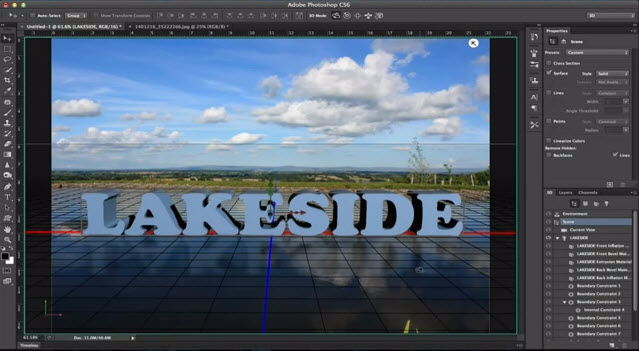
When the 3D Ground Plane first made its appearance in Photoshop CS5 Extended, it was slightly useful, a little bit tricky, and very much hidden from view. With CS6, Adobe brings us a more useful design element - one that catches shadows, and casts reflections - and all in real time while you edit. This makes it an interactive tool that is both easy to use and effective in bringing added realism to your composites. [More]
1 15 16 17 18 19 29
3-9