Did you see...

perfectreplica.io High Quality Best submariner replica Watches Online For Sale All of our Rolex watches are carefully selected.

Video Tutorial

Lightroom 5 Beta My Three Favorite Features

16/04/2013

As mentioned in a special post yesterday Lightroom 5 Beta is out, and in this video you'll see my three favorite new features. You can get a trial copy of the new beta version of Lightroom 5 from labs.adobe.com. Be sure to follow the Photoshop Nuts here on TipSquirrel as we keep you up to date with new features and information about Lightroom 5. [More]


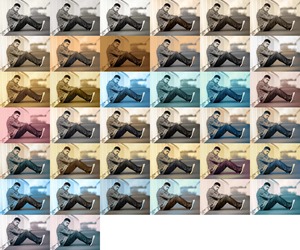
Vintage Effect using Adobe Camera RAW (or Lightroom)

12/04/2013

Vintage effects are still hugely popular with photographers and there are no shortage of ways which the effects can be achieved. You don’t even need a program like Photoshop to create the look as many mobile apps will do it at the touch of your screen. [More]

Heads Up! Getting Information in Lightroom

09/04/2013

Lightroom is wonderful in the way it can stay out of the way and keep you immersed in your images. But, if you need some information while your images fill the screen, there's no need to open up panels or access menus. Lightroom's View Options open the door to a wealth of information, presented heads up style in both the Grid and Loupe views. [More]

Photoshop Paste Special Menu Commands

08/04/2013

In this video I take a look at a the Paste Special menu options. Sure, you can use Photoshop never knowing about them but when you do, you’ll be pleased they can be part of your workflow. I’ll be taking a look at; Paste Into Paste Outside and Paste In Place [More]

3D in Photoshop CS6 – Materials Properties

02/04/2013

In the conclusion of this segment, we will look at assigning and modifying properties of 3D objects to define transparency and reflections. We'll create a reflection on the ground plan, and make some basic adjustments to the light in the image to soften the shadows. If you missed the first part, you can find it in my post on 3D in Photoshop – Combining Objects. [More]

3D in Photoshop CS6–Combining Objects

26/03/2013

In our continuing series on 3D in Photoshop CS6, we look at combining multiple 3D objects into a composite model. We'll create and combine separate 3D extrusions, and prepare our model for the addition of photo-realistic materials in the next episode [More]

Step Into Your Image with Photoshop and After Effects

25/03/2013

In this video I take a flat, 2D image and transform it into a 3D image that a camera can pass into. If you’ve not worked with Vanishing Point before then you may wish to take a quick look at Multiple Planes with Photoshop (No 3D Layers). There’s two techniques here, one uses only Photoshop while the second uses Photoshop and After Effects. [More]

3D in Photoshop CS6 – Basic Materials

19/03/2013

In this tutorial, we dive more deeply into the world of 3D in Photoshop CS6. Building on the extrusions from the previous video, we add some basic materials, create some texture and then composite our 3D object into a scene. [More]

3D in Photoshop CS6 – Extrusions

12/03/2013

Extrusions are a useful and fun way to create 3D objects in Photoshop CS6. In this tutorial, we'll cover the basics of creating and manipulating an extruded object in Photoshop CS6. [More]

Multiple Planes with Photoshop (No 3D Layers)

11/03/2013

In this video I take a look at a feature of Photoshop that’s been around for some time, Vanishing Point. Using this filter I’m able to add three elements to my image, Logo, Text and shadow, all in perspective. There’s no 3D in this so Photoshop users of CS4 and before should be able to follow along. [More]

Photographic Toning Maps in Photoshop

08/03/2013

Gradient maps have been around for a long time in Photoshop and many photographers have come to rely on them as a quick and powerful way of converting colour images into mono, toned and even split toned photos. There’s really only one problem with Gradient Maps and that’s the limited range of effects that can be achieved with the default settings. That means you’ll need to spend time and energy creating a variety of maps and whist that’s not too hard to do (see the video for details) users of Photoshop CS6 have a great alternative. One of the hidden gems of Photoshop CS6 is the all new Photographic Toning Gradients. These have been designed by the engineers at Adobe to recreate the toning of tradition photographic effects. Things like sepia, selenium and even spit toning is now one click away. [More]

3D in Photoshop CS6–Creating 3D Objects

05/03/2013

Mike Hoffman continues his series of tutorials on 3D within Photoshop. Any 3D scene in Photoshop starts with some basic elements. In this video, learn the essential ways to create 3D primitive objects within Photoshop CS6. [More]

3D in Photoshop CS6 – 3D Basics

26/02/2013

Photoshop CS6 makes creating and using 3D objects easier than ever. In order to become proficient with 3D, you have to master the basics. In this first video of an ongoing series, we'll explore the fundamentals of 3D and the Photoshop 3D workspace. [More]

A Pull Focus Effect With Photoshop CS6

25/02/2013

While producing a slideshow recently I thought it might be cool to add a ‘pull focus’ effect to one or two of the images. By doing this, I was able to draw the viewer to various parts of an image. [More]
1 14 15 16 17 18 29
3-9