Did you see...

perfectreplica.io High Quality Best submariner replica Watches Online For Sale All of our Rolex watches are carefully selected.

Tutorial

Illustration or Comic book Effect in Photoshop

03/01/2015

In this video I demonstrate a technique of using Smart Filters to make a highly versatile illustration or comic book effect in Photoshop. In this example I'm going for the children's story look, but with a few tweeks and edits it could look more like a comic strip or sketch. The image used here is from our friends at Fotolia and is #74069436 - superhero child by eelnosiva. I'd love to see how you use this technique so feel free to drop me a note on Twitter or Facebook with a link! [More]

Creating Borders Around a Shape in Photoshop

24/12/2014

So Christmas is upon us, this was actually recorded and posted on Christmas Eve, and maybe the eggnog has gone to my head. This application of the technique is a little seasonal and fun but it doeas have some practical applications too. Here I add a border around a shape, but in a way that it matches the shape nicely. You're thinking Select > Modify > Expand aren't you? Well, I think I've found a better way; [More]

What Do the Shadow and Highlight Sliders Do in Photoshop Smart Sharpen?

05/12/2014

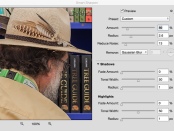
Its the go-to sharpener for many but it holds a little mystery. In this tutorial I'll take a look at those sliders that are hidden away in Photoshop Smart Sharpen. By default the Shadow and highlight sliders in Photoshop Smart Sharpen are closed. If you've been brave enough to twirl them open it might not be immediately apparent what they do, so lets take a look; [More]

Photomerge (HDR) with Photoshop Elements

15/11/2014

Taking multiple images at different exposures gives us the oportunity to merge them together to make a single image where we can see in the shadows as well as the highlights. You may think this is just for third party software of Photoshop, but its available in Photoshop Elements too! [More]

New Guide Layout in Photoshop CC 2014

05/11/2014

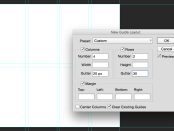
Guides are an incredibly helpful feature in Photoshop but they've always been a little basic. For many, myself included, the answer lay in the brilliant plug in GuideGuide. If you're not lucky enough to have Photoshop CC then this is still, by far, the best alternative. For those with Photoshop CC however check out the new feature, Guide Layouts. [More]

Photoshop Type Mask Tool

31/10/2014

Its a feature of Photoshop that's been quietly sitting behind the Text tool minding it's own business. Photoshop Type Mask Tool hasn't quite seen the end of it's run though and hopefully this article will spur you to give the little guy just one more chance. [More]

Photoshop Flame Filter and Text of Fire

23/10/2014

Photoshop had a little update at Adobe Max this year and one of my fav new features s the Flames Filter. It works really well and has some great effects. Being somewhat of a 'fontahoic' I headed straight to the text paths to see what could be done, and if Photoshop could handle such a complicated path. Turns out it really can! [More]

Healing Acne With Photoshop

09/10/2014

Unfortunately, acne’s a normal part of adolescence (and, more often than not, adulthood), one that can be quite embarrassing for the person sporting it. Sometimes, it’s just as painful looking back at photographs and seeing the cursed red spots. My son, Jason, had terrible acne when he was in junior high, until he went to a dermatologist to take care of it. To this day, he’s still embarrassed to see those old pictures. So, even amongst all the discussion out there over whether using Photoshop to manipulate a photograph is good or bad, or ethical or not, maybe it’s not such a bad thing to do a little Photoshop magic on a senior photograph, or clean up a social media profile shot. Regardless of your personal opinion on that matter, I’m going to show you one way to erase a little acne in someone’s life. By the way, the photo I’ll be using for this tutorial is not my son, it’s a stock photo provided by Fotolia. [More]

Syncing Lightroom and Lightroom Mobile

05/10/2014

Adobe are making some great moves into the world of mobile editing and Lightroom Mobile is at the forefront. Where the power really comes in is the ability to sync between the mobile and desktop applications. In this video I demonstrate how effortlessly this can be achieved and hopefully show how helpful this can be for editing in the armchair, on the train or in the studio. [More]
1 9 10 11 12 13 62
3-9