Did you see...

perfectreplica.io High Quality Best submariner replica Watches Online For Sale All of our Rolex watches are carefully selected.

Data Driven Images in Photoshop

20/08/2013

You may find yourself with a list of images to create, each one based on a template but with unique data and imagery. An example would be sports team cards, or trading cards, with images and text on each one. Photoshop can help to automate this process, and all it requires is a bit of planning and up front work - and a small text file. Learn to take advantage of data driven images in Photoshop and save yourself loads of time. [More]

Quick Mask-Style Selections in Photoshop Elements

16/08/2013

I recently wrote an article here on TipSquirrel about using Photoshop's Pencil tool to make complicated selections. A comment was posted asking if the same thing was possible using Photoshop Elements. The answer to that is yes, but, as with a few things in Elements, we have to use a couple of workarounds. The original tutorial used Photoshop's Quick Mask feature. This allows us to create selections by painting them with the Brush tool (or any other of the drawing tools); the selected areas show up as a coloured overlay. Elements doesn't have this feature, sadly, so we'll be using an adjustment layer and its mask to achieve the same result. [More]

Lightroom 5 And the new Radial Filter

15/08/2013

One of the best new features introduced with Lightroom 5 was Radial Filters. Radial Filters combine the controls of the adjustment brush (exposure, contrast, sharpness etc.) with circle based control points (if you’ve used any of the Nik filters you’ll be used to these sort of control points already). The new Radial Filters are really easy to use and can be a great tool to improve your photographs. [More]

Lightroom Catalog Cloud Backup

13/08/2013

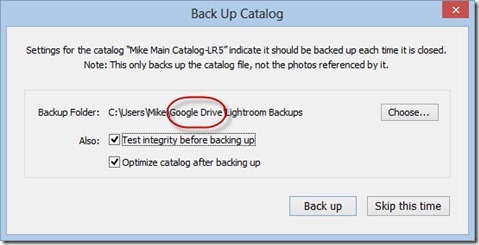
With all the cloud backup solutions available today, you have access to lots of free online storage. Be it Dropbox, SpiderOak, Amazon Cloud Drive, Google Drive, Skydrive… you have access to many gigabytes of storage in the cloud. Why not use some of it to back up your Lightroom catalog? It's easy, and it's a good way to keep your backup. [More]

Photoshop Quick Tip: Button Mode and Menu Items for Photoshop Actions

12/08/2013

Actions are a great way to get things done easily and quickly, but what happens when you need to insert a menu command? By default a lot of menu items are unavailable during the recording of a Photoshop Action, but it’s easily overcome. I’ll also be discussing the helpful Button Mode, a great way to launch your Actions. [More]

Cartoon Effect in Photoshop

09/08/2013

I love playing with filters in Photoshop and in this tutorial I get to use two of the old timers. The effect were going to create is similar to the classic look of printed images in newspapers and comics. It’s a bold graphic effect which can make use of any photo but by far the best photos are those with big bold shapes. Portraits are perfect… even the ones that aren’t perfectly sharp! [More]

Wide Eyed Cat – Have Fun in Photoshop

08/08/2013

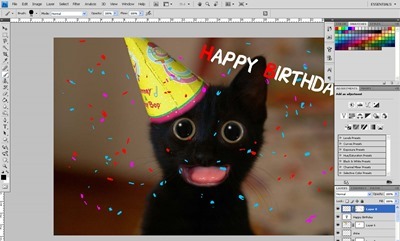
A few years ago there were a number of birthday cards with large eyed cats and dogs on them, I thought I would spend a few minutes showing you how you can make your own spin on this idea. [More]

Fixing a Bad HDR Sky in Photoshop

06/08/2013

HDR Tools are great for creating interesting images, but they can really destroy a sky. Here's a quick tip for rescuing an over baked sky and giving a more natural feel to your images. [More]

Photoshop Color Sampler Tool

29/07/2013

Before we were treated to the delights of Kuler Photoshop users were able to find the colour details in an image with the Color Sampler Tool. Now it lays quietly hidden but it really shouldn't, its a hugely helpful tool. [More]

Image Based 3D Lights in Photoshop

23/07/2013

Photoshop CS6 and later offers the traditional light sources for your 3D models: infinite lights, point lights, and spot lights, all fully customizable. However, there's another kind of light - an "image based light," or IBL - that has some special features. We can use any image as a light source, and in doing so, we can help our 3D model to more closely match the colors of its environment, adding an extra touch of realism. [More]

Match Color Command in Photoshop

22/07/2013

A great, and quick, way to change the feel of your image is to match it’s tones to that of an image you already have. Photoshop makes this incredibly easy and wonderfully flexible with the use of the Match Color command. In this video I’ll look at two images and see how Match Colour can give some amazing results. [More]

Photoshop: Layer Styles on a Group

18/07/2013

Did you know that you can add Layer Styles to a group of layers? As of Photoshop CS6, you can! In this video I take a look at just some of the benefits, [More]

Importing Kuler Themes into Photoshop

17/07/2013

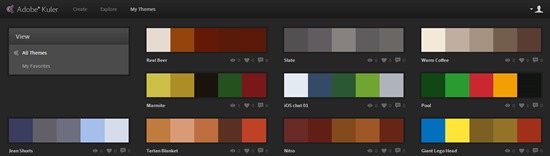
If, like me you’ve fallen in love with the Adobe Kuler mobile app (iOS) you may have gotten frustrated that you can’t import the themes into Photoshop, they are after all .ase files, for Illustrator right? Good news! You can bring them into Photoshop. [More]
1 22 23 24 25 26 80
3-9