Did you see...

perfectreplica.io High Quality Best submariner replica Watches Online For Sale All of our Rolex watches are carefully selected.

May 2013

Adobe Creative Days

30/05/2013

Adobe are hosting Creative Days across Europe again this year where we’ll be able to; “Discover what’s coming next from Adobe, explore and get inspired together with industry pros and visionaries and get connected and exchange ideas and inspiration” [More]

Scanned Sketch Extraction in Photoshop

28/05/2013

If you have a scan with a white background, how do you remove the white? There are several ways, some more effective and more versatile than others. In this video, we'll take a look at a variety of ways to drop out the white and leave you with the details you need. [More]

Creating Torn Edges in Photoshop and Photoshop Elements

24/05/2013

This month I'm donning my top hat and tuxedo to perform a spectacular card trick for you. First, I'll tear the card in half and then, without so much as a wave of a magic wand, I'll seamlessly mend it right in front of your very eyes! Seriously, though, if you've ever gone delving into the many filters available in Photoshop and Photoshop Elements, you will no doubt have come across the Torn Edges filter. As the name suggests, it will give you a super torn edge effect on your image. Well, no, actually it won't, not if it's applied directly to the image, that is; all you'll end up creating is a fuzzy monochrome graphic element. [More]

Develop Preset Efficiency in ACR and Lightroom

21/05/2013

Develop presents in Lightroom or Camera Raw can be more than just a pretty effect. They can help do the heavy lifting or the monotonous processing, so you can focus your energy in more interesting areas. [More]

Create An Alphabet Soup Text Effect In Photoshop

20/05/2013

In this video I create an Alphabetti Spaghetti, or Alphabet Soup tpy text effect using just one Filter and a few instances of Bevel and Emboss. The Action created in this tutorial can be downloaded by sharing this post via the buttons below the video [More]

Visualize Spots in Lightroom 5

17/05/2013

Lightroom 5 comes with some pretty nice upgrades, but one of the smaller additions may make many photographers excited. Many times you'll find yourself with a nice looking photo, but because of certain conditions, your lens or surroundings may contain a bit of dust. [More]

Moving Backgrounds to Fix Backgrounds in Photoshop

15/05/2013

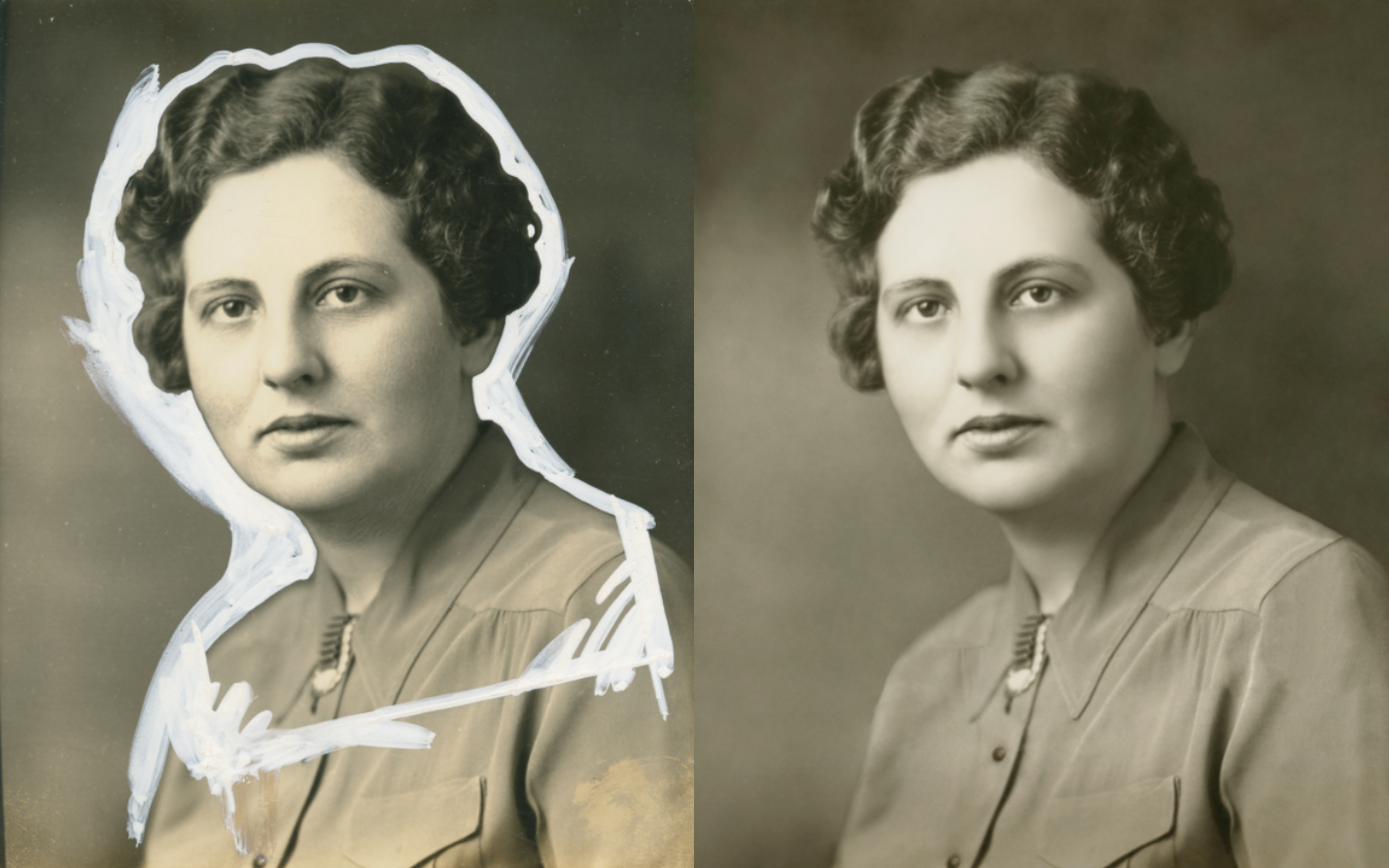
What you see, below, is an aberration, a crime committed against a helpless photograph. Yes, a real photograph was harmed in the making of this mess. Why it was done is beside the point; it was done many years ago and now this image remains as one of the few a daughter has of her mother. This may not be a situation that comes up for the majority of you, but in case it, or something like it comes up, there’s a fairly easy way to get the white out…out. [More]

Lighting 3D in Photoshop CS6

14/05/2013

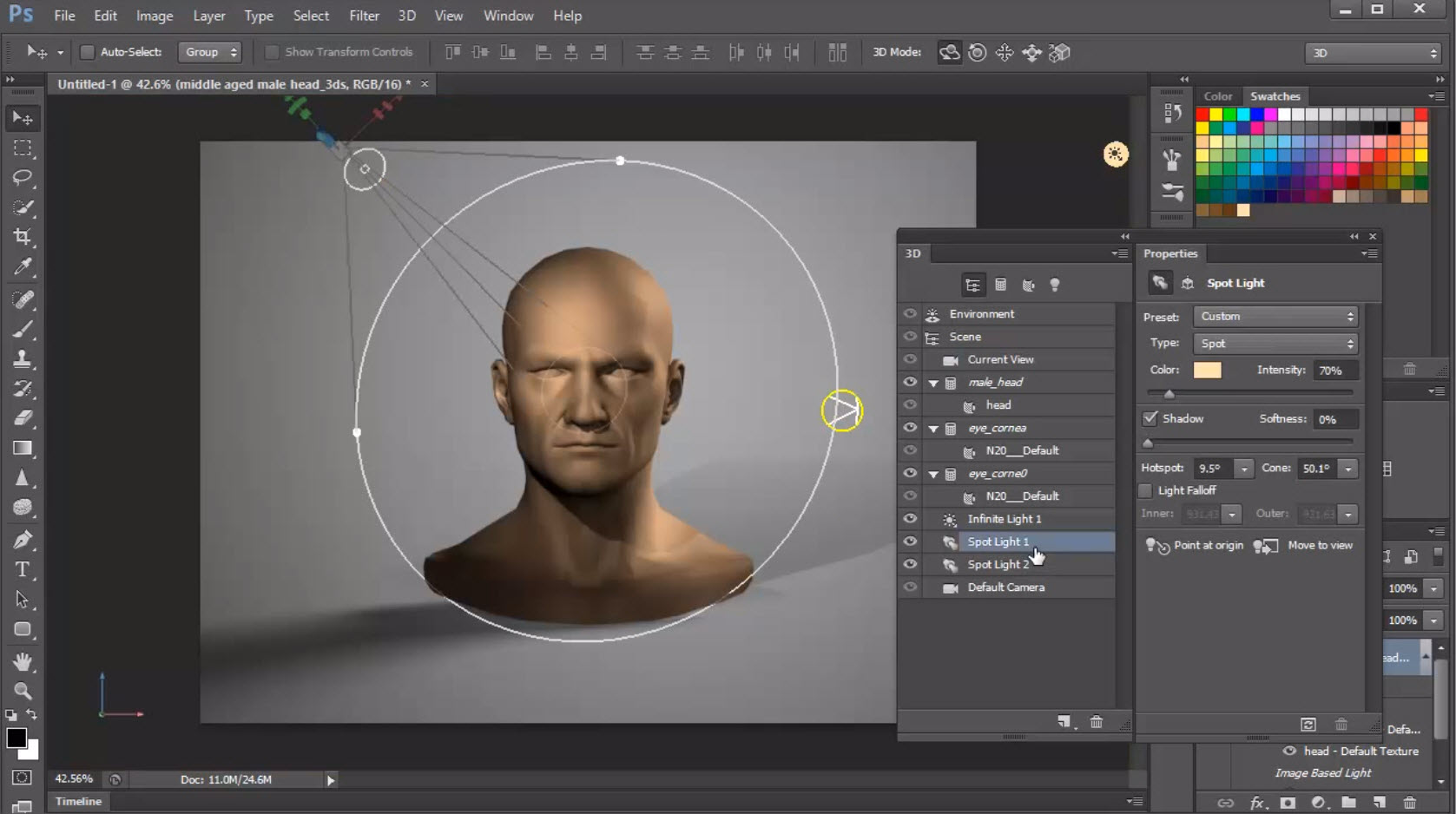
In a continuation of my series on learning 3D in Photoshop CS6 today's topic is lighting your models. Learn the different types of lights that are available in Photoshop's 3D space, and how to control and manipulate them for best effect. [More]

A Photoshop CC Web Round Up

13/05/2013

There’s been a lot of talk on the net about Adobe’s plans for Photoshop CC in June, but what does it actually mean? Lets take a wander around the net and see what’s being said by those in the know; [More]

Hand Painted Border Brushes For Photoshop

10/05/2013

I’m a sucker for a border and Photoshop has a raft of ways in which you can create a border from scratch. The only downside with some Photoshop border effects is they can look digitally created and by that I mean they lack the subtle changes and randomness that only a handmade border provides. So here’s a solution. Paint your own borders and turn them into custom brushes. Since Photoshop CS6 brushes can be up to 5000 pixels long, twice the size of Photoshop CS5 and that opens up a lot more creative possibilities. [More]

Smarter Sharpening in Photoshop

07/05/2013

Sharpening traditionally has three phases: capture sharpening, creative sharpening, and output sharpening. In a photographic workflow, Adobe Camera Raw or Lightroom does a fine job of capture sharpening, but where do you go for the rest? Unsharp Mask is tried and true, but no longer the best tool in the toolbox. In this video we’ll look at Smart Sharpen in tandem with Smart Objects for the ultimate in photographic sharpening control. [More]
1 2
3-9