Author Archive for Gavin Hoey

Gavin has been a regular contributor to Digital Photo Magazine in the UK since 2003 where he writes “how to...” techniques on photography and Photoshop Elements. His Photoshop lectures are always in demand and he can often be seen popping up at camera clubs all over the UK.

Hand Painted Border Brushes For Photoshop

image_thumb.png

I’m a sucker for a border and Photoshop has a raft of ways in which you can create a border from scratch. The only downside with some Photoshop border effects is they can look digitally created and by that I mean they lack the subtle changes and randomness that only a handmade border provides.

So here’s a solution. Paint your own borders and turn them into custom brushes. Since Photoshop CS6 brushes can be up to 5000 pixels long, twice the size of Photoshop CS5 and that opens up a lot more creative possibilities.

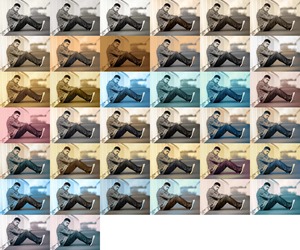
Photographic Toning Maps in Photoshop

Photographic-Toning-Maps-in-Photoshop_thumb.jpg

Gradient maps have been around for a long time in Photoshop and many photographers have come to rely on them as a quick and powerful way of converting colour images into mono, toned and even split toned photos.

There’s really only one problem with Gradient Maps and that’s the limited range of effects that can be achieved with the default settings. That means you’ll need to spend time and energy creating a variety of maps and whist that’s not too hard to do (see the video for details) users of Photoshop CS6 have a great alternative.

One of the hidden gems of Photoshop CS6 is the all new Photographic Toning Gradients. These have been designed by the engineers at Adobe to recreate the toning of tradition photographic effects. Things like sepia, selenium and even spit toning is now one click away.

Dynamic Slideshows with Photoshop CS6

Dynamic-Slideshows-with-Photoshop-CS6_thumb.jpg

One of the best new features of Photoshop CS6 is the amazing way Adobe have incorporated video editing abilities into Photoshop. Now if like me you’d call yourself a photographer rather than a videographer , then you might be tempted to skip this post but trust me, this is a 100% photo friendly tutorial.

Symmetry with Photoshop

As a photographer symmetry is one of the hardest types of composition you can find. Nature has a habit of avoiding symmetry most of the time. You’ll never walk through a forest and find two identical trees and you’ll never see the left side of the sky perfectly matching the right.

However it is dead easy to create symmetrical images using Photoshop, the knack is disguising the fact that you used Photoshop at all.

In this video I’ll show you how to mirror an image and then apply a few tweaks to complete the perfect symmetric photo.

3 Mixer Brush Border Effects

3 Mixer Brush Border Effects_cover

The mixer brush is one of those tools which, as a photographer, I’ve hardly used since it appeared in Photoshop CS5. If you’re an artist that paints, then the mixer brush is a brilliant tool but it can also be used to create simple painted borders even by someone like m,e who will never be able to draw or paint in the real world.

Three Ways to Go Mono in RAW

TS-3xB-W_thumb.jpg

Do you prefer Black and white or Monochromatic? Whatever you choose to call it, taking away the colour from your photo will completely change it and often for the better.

You might be thinking that black and white is just that, black and white? So how can there be more than one way to do it and why would you want to even bother? Well just because mono images only contain shades of grey, that doesn’t stop us taking control them and that’s exactly what I’m going to show you in this video.

Selecting Hair in Photoshop Elements 11

TS-ELE11.jpg

Photoshop Elements keeps getting better and better with each new release. With the recent release of Elements 11, Adobe has crammed even more Photoshop’s power into Elements with the addition of edge detection. It’s called Refine edge with edge detection…

Start to Finish Workflow with Gavin Hoey

There’s photographic potential all around us, that’s one of the amazing things about photography. Usually there’s a direct connection between the distance travelled and the amount of inspiring things I find to photograph. That’s not surprising as part of the…

32 Bit HDR in Photoshop

Gav-HDR_thumb.jpg

HDR, love it or hate it there’s no getting away from the fact that sometimes your camera can’t capture all the tones in a high contrast scene that you see. At that point you’ll need to take more than one image and blend the exposures together and create a more realistic (or surrealistic) image.

Photoshop CS6–The Small Stuff

CS6New_thumb.png

Photoshop CS6 brings us a whole raft of new and exciting tools to play with and it’s also stuffed full of major improvements. We even get some new filters to play with too. But once you’ve been using the Photoshop CS6 for a while you’ll start to notice lots of small changes. In fact Adobe have made dozens and dozens of little tweaks and enhancements that will probably never make the headlines but may well be incredibly useful.

Solarisation in Photoshop or Lightroom

TS-Solarisation

With all the whizz bang thrills that software such as Photoshop has given us, you’d be forgiven for thinking that it’s Photoshop that’s driven photographers to be creative. But that’s not exactly true. Of course Photoshop has helped unlock our…