Did you see...

perfectreplica.io High Quality Best submariner replica Watches Online For Sale All of our Rolex watches are carefully selected.

Video Tutorial

30 Second Photoshop – Check and Gingham Patterns

30/05/2014

Great for backgrounds, borders and digital scrapbooking check and Gingham patterns are easy to make in Photoshop And Photoshop Elements... once you know how. To get it in in 30 seconds I go through this a bit quick, but feel free to hit the pause button should you want to follow along. [More]

Adobe Camera Raw Basic Panel and Lightroom Develop Module

29/05/2014

When you open an image into Photoshop or Photoshop Elements you're automatically taken into Adobe Camera Raw. This is a hugely powerful application that you may find does all you need for an image. In this video I take a look at the Basic Panel, this is the same as the Develop Module on Lightroom and is similar to that found in Photoshop Elements. [More]

Wrap a 2D Image onto a 3D Cylinder in Photoshop

27/05/2014

Today we answer a viewer question from the TipSquirrel mailbag: How do I wrap a 2D image onto a 3D cylinder in Photoshop? For an existing file or JPG image, the solution isn’t difficult, but as with all things Photoshop, there are a number of ways to accomplish this task. [More]

Adobe Camera Raw Preset and Snapshots

22/05/2014

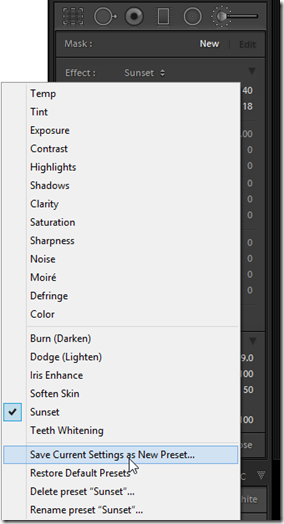
Editing can be a lot of fun but sometimes its nice to be able to automate a process or to be able to repeat settings at the touch of a button. In this video for Fotolia I take a look at a couple of ways to do this using Adobe Camera Raw preset and snapshots, two great ways to help your workflow. [More]

Lightroom Adjustment Brush Presets

20/05/2014

The introduction of the Local Adjustment Brush back in Lightroom 2 was the first step in transforming Lightroom from a global editor to a fully parametric, flexible content enhancement editor. The adjustment brush capabilities have improved with every release of Lightroom since then, but you may not have been aware of the existence of Adjustment Brush Presets. [More]

Photoshop Retouching Tips – Nondestructive Healing

13/05/2014

The cloning and healing tools in Photoshop continue to improve all the time, and now most of the retouching tools offer Adobe’s amazing “content-aware” technology. However, in order to get the most from the Healing Brush, Patch Tool, Clone Stamp, and all the others, you’ll want to explore ways to accomplish nondestructive healing during your retouching sessions. [More]

Photoshop Crop Tool – Its Not Just For Cropping

08/05/2014

CoverPhotoshop Crop Tool has, you may thing one simple basic function, but it has a whole host of other great features beside just resizing your image. It'll straighten, add canvas and even has different overlays to help with composition. [More]

Make the Most of Text with the Photoshop Character Panel

01/05/2014

Photoshop has a great capability for manipulating text and there's a real powerhouse in the Character Panel. In this video for Fotolia I take a look at all the features in the panel to make a simple poster layout. I look at kerning, glyphs and font sizing among other great features. [More]

How to post to Facebook with Lightroom

29/04/2014

Did you know you can post to Facebook from Lightroom, directly and automatically? Back in version 3, Adobe introduced Publish Services to Lightroom, and this continues to be the best way to manage your photos when you’re posting to social media. [More]
1 7 8 9 10 11 29
3-9