Did you see...

perfectreplica.io High Quality Best submariner replica Watches Online For Sale All of our Rolex watches are carefully selected.

Video Tutorial

High Key Ice Queen Effect in Photoshop

30/09/2013

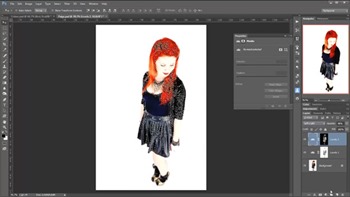
In this video I take a shot of Paige and transform it into a high key ‘Ice Queen’ image. This technique is all about the set up so time should be taken at the start, then its as easy as pie! I hope you enjoy this technique, as always we’d love to see what you do with it. [More]

Live Shapes in Photoshop CC

24/09/2013

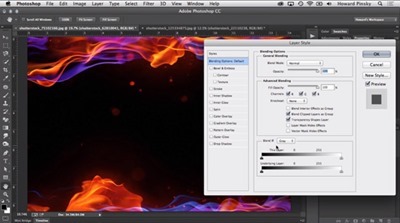
Photoshop CC continues the progression started in version CS6, of offering ever more powerful and flexible vector shape capabilities. In addition to true fill and stroke, we have live shape properties adjustable on the fly. Learn how to take advantage of the new live shapes in Photoshop CC. [More]

Photoshop Quick Selection Tool

19/09/2013

One of the easiest ways select objects with complex shapes, especially in a high-contrast photograph, is to use the Quick Selection Tool. It provides a simple "brush to select" technique, with several options for tweaking and refining the initial selection, including direct access to the Refine Edge command. [More]

3D Filmstrip Effect in Photoshop

17/09/2013

Take advantage of the 3D capabilities of Photoshop to make a real film strip that you can twist, move and position in your composition with complete flexibility. [More]

Tonemap 32 bit Images in Lightroom

10/09/2013

Lightroom has the capability to work with 32 bit images. This allows you to use all the familiar Lightroom Develop Module controls for adjusting and enhancing your high dynamic range (HDR) merged images. The results are natural and realistic, and it's a pleasure to work with the full range of adjustment controls and tools with which we're so familiar right within Lightroom. [More]

Add a Subtle Punch to Eyes in Photoshop

09/09/2013

In this video I add punch in such a way that you might first think that its counter intuitive. Subtlety is the key here. This technique is based on a tutorial I saw many years ago by retoucher extraordinaire, Dave Ceurdon. [More]

Cropping in Photoshop CS6 and CC

06/09/2013

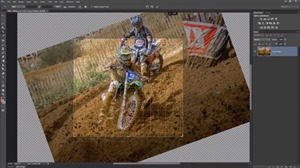
The crop tool is a fundamental tool in Photoshop. I use it on almost all my photos and not just for cropping closer. Used correctly the crop tool can straighten horizons, add a dramatic angle and even make a border. So when Adobe redesigned the Crop Tool in Photoshop CS6 they radically changes how the tool works. Any change to the Crop Tool was going to be tricky for die hard Photoshop users and some features are more welcome then others. In this video I’ll run through the major features that I use day to day as well as some of the further changes made to Photoshop CC’s Crop Tool. I know a few Photoshop users wish that Adobe had left the Crop Tool alone so at the end of the video I’ll tell you how to turn back the clock and get as close to the classic cropping experience as possible. [More]

Luminance Masks in Photoshop

02/09/2013

In this video I'll skim over the theory and get stuck in to the very handy luminance mask. Still one of the easiest, and quickest ways to create complicated masks. [More]

Add Copyright Information in Photoshop – Automatically

27/08/2013

It's always a good idea to copyright your work, and that includes embedding the appropriate information into your image metadata. Learn the three step process to create a template to add copyright metadata, to create an action to apply your template, and to use Photoshop's Script Events Manager to run your action every time you work on a file. It may sound scary, but it's a simple process, and you can "set it and forget it." I’ve written about this before a few years back, but this is a good reminder, I’ve brought it up to date with the latest version of Photoshop, and here is a video tutorial for those who prefer video learning. [More]

Adobe Camera RAW from HDR Pro

21/08/2013

I love HDR pro, and with the new Tone in ACR feature the workflow is quicker and easier than ever! With just a few clicks I can avoid all the HDR sliders and work in Adobe Camera Raw, where I’m much more familiar and comfortable with the controls. [More]

Data Driven Images in Photoshop

20/08/2013

You may find yourself with a list of images to create, each one based on a template but with unique data and imagery. An example would be sports team cards, or trading cards, with images and text on each one. Photoshop can help to automate this process, and all it requires is a bit of planning and up front work - and a small text file. Learn to take advantage of data driven images in Photoshop and save yourself loads of time. [More]

Lightroom Catalog Cloud Backup

13/08/2013

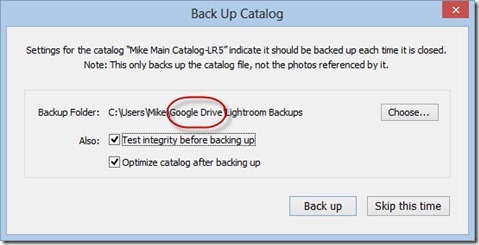
With all the cloud backup solutions available today, you have access to lots of free online storage. Be it Dropbox, SpiderOak, Amazon Cloud Drive, Google Drive, Skydrive… you have access to many gigabytes of storage in the cloud. Why not use some of it to back up your Lightroom catalog? It's easy, and it's a good way to keep your backup. [More]

Photoshop Quick Tip: Button Mode and Menu Items for Photoshop Actions

12/08/2013

Actions are a great way to get things done easily and quickly, but what happens when you need to insert a menu command? By default a lot of menu items are unavailable during the recording of a Photoshop Action, but it’s easily overcome. I’ll also be discussing the helpful Button Mode, a great way to launch your Actions. [More]

Cartoon Effect in Photoshop

09/08/2013

I love playing with filters in Photoshop and in this tutorial I get to use two of the old timers. The effect were going to create is similar to the classic look of printed images in newspapers and comics. It’s a bold graphic effect which can make use of any photo but by far the best photos are those with big bold shapes. Portraits are perfect… even the ones that aren’t perfectly sharp! [More]
1 11 12 13 14 15 29
3-9