Did you see...

perfectreplica.io High Quality Best submariner replica Watches Online For Sale All of our Rolex watches are carefully selected.

Tutorial

Photoshop CS6 Adjustment Brush Tricks

15/01/2013

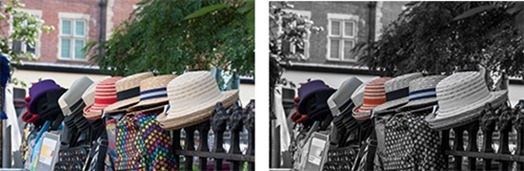
The Camera Raw Adjustment Brush controls get better with each version, and with Photoshop CS6 you have more control and flexibility than ever before. Don't be afraid to experiment with different settings, and to combine multiple adjustments in a single brush. [More]

Photoshop Clipping Masks

14/01/2013

In this video I take a look at Clipping masks. They are really easy to create and have a whole host of applications. This video was made in response to a question in the Google Plus Community; Photoshop and Lightroom Users where I’m one of the moderators. i think it goes without saying, I’d love to see and chat to you there! [More]

Saving and Optimizing Images in Photoshop

08/01/2013

You just spent a good amount of time finessing your most recent image to a state of graphics bliss, and now it’s time to save that file in one or more versions for web use (email, Facebook, web [More]

3 Mixer Brush Border Effects

21/12/2012

The mixer brush is one of those tools which, as a photographer, I’ve hardly used since it appeared in Photoshop CS5. If you’re an artist that paints, then the mixer brush is a brilliant tool but it can also be used to create simple painted borders even by someone like m,e who will never be able to draw or paint in the real world. [More]

Hard Restoration, Easy Fix in Photoshop

19/12/2012

The first thing you may think as you look at today’s before image is “How in the world am I going to get all of that red-colored mess off?” Or it may not be, but for the sake of argument, we’ll just say it is. Here’s what you need to do to fix this. Pay attention to all the steps, here… [More]

The 3D Ground Plane in Photoshop CS6 Extended

18/12/2012

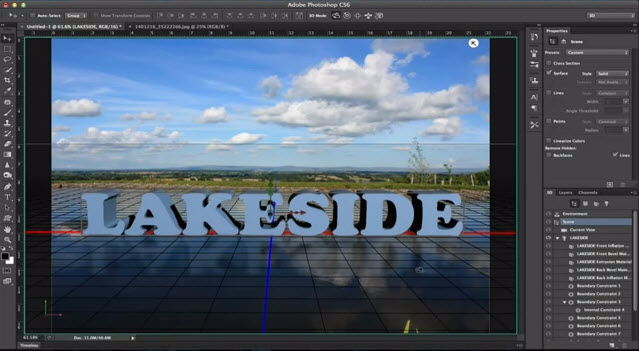
When the 3D Ground Plane first made its appearance in Photoshop CS5 Extended, it was slightly useful, a little bit tricky, and very much hidden from view. With CS6, Adobe brings us a more useful design element - one that catches shadows, and casts reflections - and all in real time while you edit. This makes it an interactive tool that is both easy to use and effective in bringing added realism to your composites. [More]

Create A Holiday Desktop in Photoshop

14/12/2012

In this tutorial, Rich works start to finish in Photoshop to create a Holiday themed desktop. In his workflow he demonstrates, among other things, LUTs and Gradients. You can work along with Rich by [More]

Blur Gallery and Liquify Smart Objects

13/12/2012

I thought today would be a good time to post an update on Photoshop CS6, and the new Photoshop features Creative Cloud members received this week. Chief among them is Smart Object layer support for the Blur Gallery, and the Liquify Filter. This tutorial provides a quick overview of how the features in Blur Gallery and Liquify can be combined for an interesting creative effect. Sure, it's fall colors but I bet some of you are already tired of the barren winter trees [More]

An Introduction to Maps in Lightroom 4

11/12/2012

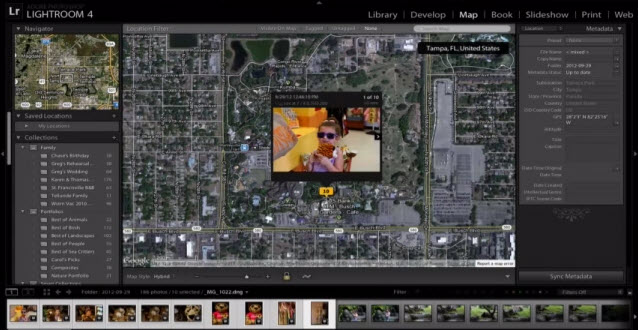
Lightroom 4 brings a new Map module, and if you haven't tried using it, you're missing out. Simple and quick, the Map module provides a way to use the geolocation metadata (map coordinates) in your images, or to create map data easily if your images don't already have it. Mapping your photos is an easy, fun, graphic and effective way to sort, display and search for photos in your library. [More]

Photobooth Template for Photoshop

10/12/2012

For this post I created a very simple template for creating a photo booth type photo strip. Its easy enough to use but there’s a couple of Photoshop techniques in the video too. [More]

Tricky Cutout? Grab a Photoshop Pencil!

07/12/2012

Photoshop has a powerful set of selection tools that can handle almost any cutout you care to throw them at. Occasionally, however, we’re faced with an image that foxes the likes of the Quick Selection Tool and can be mind-numbing and laborious to select with the Pen or Lasso tools. [More]
1 24 25 26 27 28 62
3-9