Did you see...

Articles by Eric Renno

About Eric Renno (435 Articles)
Eric’s background in video editing with Adobe Premier led to his interest, and then obsession, with Photoshop. Starting TipSquirrel.com as a hobby he is proud to have gathered together and be a part of The Photoshop Nuts. Known as only “TipSquirrel” for two years, Eric ‘went public’ when he was a finalist in The Next Adobe Photoshop Evangelist competition. He’s also been a finalist in Deke’s Techniques Photoshop Challenge. While still taking on some freelance work, Eric has recently become a Lecturer at Peterborough’s Media and Journalism Centre where he enjoys sharing his knowledge as well as learning new skills. This realisation that he loves to teach has made Eric look at altering his career path.

Interactive Photoshop Wordsearch

04/02/2013

Ahh that Monday feeling, we need a distraction. Here's a Photoshop related wordsearch to help you through. Best thing is, if you finish and refresh the page it'll be a different puzzle! [More]

Using Photoshop Shapes to Make Apple Maps Type Pins

21/01/2013

In this video I’ll use Photoshop shape capabilities to make Apple Maps typpe of pin to add to my image. I’ll use stroke, gradient, stroke positioning and many other settings as well as some handy tips on manipulating paths. As always I’d love to see your images using this technique! [More]

Photoshop Clipping Masks

14/01/2013

In this video I take a look at Clipping masks. They are really easy to create and have a whole host of applications. This video was made in response to a question in the Google Plus Community; Photoshop and Lightroom Users where I’m one of the moderators. i think it goes without saying, I’d love to see and chat to you there! [More]

Happy Holidays From The Photoshop Nuts

24/12/2012

Without the support of our readers we wouldn’t be able to carry on, so thank you for all your Likes, Pins, Google +s, Stumbles and shares, we really appreciate your help! A huge thank you to Fast2Host who host TipSquirrel.com. Their kindness support and customer service goes far and beyond what we could have expected, you rock! The Photoshop Nuts give their time and expertise free so that TipSquirrel.com remains 100% free to view. Despite some heavy work schedules and deadlines they still manage to pop a post up on a regular basis. On a personal note, I’m amazed at the commitment of the Nuts and I’m proud to call them my mentors and friends, thank you folks [More]

Photobooth Template for Photoshop

10/12/2012

For this post I created a very simple template for creating a photo booth type photo strip. Its easy enough to use but there’s a couple of Photoshop techniques in the video too. [More]

Social Media Mock-Up Template for Photoshop

03/12/2012

I was asked recently to create a screen for a social media page for use in a video production. Rather than cut and paste a one off I made a fully editable page for repeated use. I’m offering this [More]

Opening Jpeg and Tiff Files in Adobe Camera Raw

26/11/2012

I was recently asked how I was opening Jpeg files in Adobe Camera Raw (ACR). The reader told me that they had never been able to do this and wondered if this was a clever ‘Extra’ in Photoshop. Not at all is the answer so let me explain how it’s done, its just a setting hidden away. [More]

Use Photoshop to Subtly Retouch Eyes

12/11/2012

In this video I’ll demonstrate a very easy, yet highly effective way of bringing your subjects eyes ‘to life’ using nothing more than a couple of brushes and a mask in Photoshop or Photoshop Elements. [More]

Making An Easy Photo Calendar in Photoshop

02/11/2012

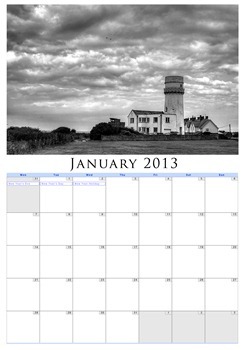
Its getting to that time of year again when we need to think of the next one, so here’s an easy and personal, way to create you own photo calendars in Photoshop. Unlike other tutorials this one [More]

A Rare Personal Blog. A Thank You

29/10/2012

This week I was very proud to receive confirmation that I’d passed the Photoshop CS6 ACE Exam. There are a few teachers and trainers that have passed this exam but for me, this was super sweet. [More]

Flame Painted Frame in Photoshop

22/10/2012

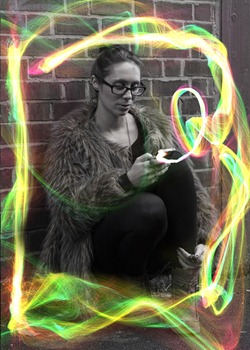
In this Photoshop video I stick with the light streak theme of last week and try out Flame Painter to add an ‘electric’ style border to my image. I’ll be honest, I like using the site more than I like using the results, but does it matter how you have fun so long as you have it? [More]
1 15 16 17 18 19 29