Did you see...

perfectreplica.io High Quality Best submariner replica Watches Online For Sale All of our Rolex watches are carefully selected.

January 2014

Book Review – Mastering Photoshop Layers

31/01/2014

As a reader of many Photoshop related books I’ve come to expect certain aspects to be contained within them. I want clear instructions, illustrated examples and information I haven’t found anywhere else. Mastering Photoshop layers ticks all the boxes. [More]

Pen Tool in Photoshop – Path Fundamentals

28/01/2014

In this series of videos, we are going to work our way from the basics to pen tool mastery, but we need to start with the fundamentals. In fact, in this video, I’m not even going to use the pen tool. Instead, we’ll spend our time understanding how paths work in Photoshop, so that when we do start using the pen tool, we’ll be on familiar ground. [More]

Linked Smart Objects

27/01/2014

In a recent update to Photoshop CC adobe introduced Linked Smart Objects. They work the same as Smart objects but with a unique, ad helpful difference, they link back to the source, let's look at an example; [More]

Extended Depth of Field Using Photoshop Stacks

24/01/2014

When taking some images, especially macro shots, your lens may not be able to pick up the depth of field you’re after. Using this technique you can stack images of varied focal length to extend the depth of field. [More]

Skin tone correction using RGB Curves in Lightroom 5

23/01/2014

When it comes to editing skin tones, Adobe Photoshop has always reigned supreme. Lightroom could change the white balance and even alter the Hue, Saturation and Luminance values, but this is often not accurate enough to render great skin tones. This changed with the introduction of RGB curves in Lightroom 4, allowing us to change the values of Red, Green & Blue at a specific tonal range of the image. How this changes things will be explained below, but suffice to say it makes for much nicer skin tones without the need to export to photoshop. [More]

The new Perspective Warp in Photoshop CC

21/01/2014

Adobe Photoshop CC now has a new Perspective Warp feature, just introduced, that will allow you to adjust the perspective of image elements in an automated and controlled way. This will help you to create more realistic composites from images that may not match in their original perspective. [More]

Photoshop CC New Workflow Features January 2014

17/01/2014

In the latest update to Photoshop CC we saw a couple of great new features added. These 'sexy' new features are great for making headlines, but what about those more subtle upgrades that make our workflow that little bit easier. Here's my pick of the bunch; [More]

Photoshop Update – January 2014

16/01/2014

Today (16th Jan 2014) sees a major update to Adobe's Creative Suite and in the upcoming days and weeks we'll be exploring them in more detail. For now here's a great overview from Adobe Evangelist Terry White; [More]

Photoshop’s Perspective Crop Tool

14/01/2014

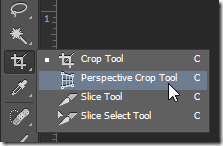
Sometimes it is the simplest tools that get the job done most quickly and efficiently. Photoshop's Perspective Crop Tool isn't the most glamorous tool in the toolbox, but it does its job well and with a minimum of fuss. Fix perspective distortion quickly and easily with this simple tool. [More]

Photoshop Slice Tool

09/01/2014

The slice tool can be used to help create webpages and elements of them. In this post I'll show you how to create a very simple navigation example. [More]

3D Particle Field in Photoshop CC

07/01/2014

Creating a particle field using Photoshop's 3D features requires a few tricks, but with a little setup and the right techniques, you can create some fantastic random effects. [More]

Making a Zig Zag Pattern in Photoshop

03/01/2014

Recently I was asked about making a Photoshop document with an editable zig zag pattern so I set off looking into using the pen tool and all manner of shenanigans, then I thought about using filter, here's what I came up with; [More]
3-9