Diary

Tangled Webs: Combine and Simplify Paths

CombinePaths-14_thumb.jpg

In previous tips here on TipSquirrel, we’ve looked at various ways of creating and modifying paths in Photoshop. Today, we’ll explore methods for combining paths using the interaction modes in order to create more complex shapes of our own. In doing so, we’ll weave ourselves a tangled web of paths, but never fear –...

Read more »

Shapes, Arrows and Hidden Options in Photoshop

Arrow10_thumb.jpg

Creating arrows (such as we here use in our tutorials) shouldn’t be too hard in Photoshop, and it actually isn’t. However, you may find it frustrating to find out the best way to accomplish such a seemingly simple task. For example, there are some custom shape tools with arrow forms, such as this one:...

Read more »

Editing shapes in Photoshop

ShapeEdit-20_thumb.jpg

In this week’s tip, we’ll look at some fast and easy ways to start with existing shapes (vector paths) in Photoshop, apply some quick modifications, and make the shapes into your own unique design. We’ll be drawing heavily on the tips presented in the past two weeks, namely: Drawing with Shapes and Paths in...

Read more »

Vector Masks in Photoshop

PathModes-17_thumb.jpg

In last week’s post on TipSquirrel, we started looking at drawing with shapes and paths in Photoshop. In the interest of getting our toes wet, so to speak, we looked at the shape tools, and saw that they could be used to create shape layers, paths, or pixel-filled objects. Today, we’ll take a step...

Read more »

Drawing with shapes and paths in Photoshop

PathIntro-06_thumb.jpg

Today we begin an exploration of drawing in Photoshop. Not drawing as in grabbing a brush and making marks or blobs, but drawing with precision and with flexible elements that provide a multitude of capabilities. I’m talking about the vector tools in Photoshop, and in this tip we’ll start to look at how they...

Read more »

Creating the One Ring in 3D

One-Ring-01_thumb.jpg

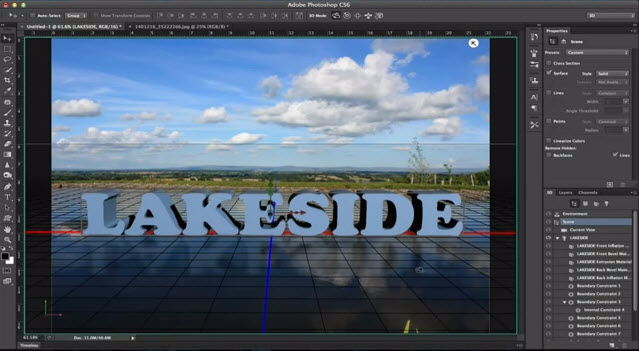
As a Tolkien fan, I’m always interested in the lore and art that accompany the Lord of the Rings literature. So, I thought, why not try to recreate the One Ring in all its fiery presence? Fortunately, this isn’t a tremendously difficult task with Photoshop CS5 Extended. We’ll start with a blank document with...

Read more »

Lightroom: Missing Files, No Longer!

LR-Folders-10_thumb.jpg

Almost everyone who has used Lightroom has, at some time, encountered the dreaded question mark icon – indicating a missing file or missing folder. Sometimes it is a nuisance, but other times I’ve had to help people who have managed to have their entire catalog peppered with question marks. Today, I’d like to provide...

Read more »

Troublesome Photoshop Layer Effects

MaskTheEffects-10_thumb.jpg

With Photoshop, sometimes things don’t always go as planned. If they did, you’d never learn anything! But today, we’ll look at a common problem that has a simple, but obscure solution. It all has to do with layer effects, and how they respond to layer masks. For example, a fairly common visual effect that...

Read more »

Lightroom Organization with Smart Collections

SmartColl-07_thumb.jpg

If you’ve been following my past couple of tips on Tagging your Lightroom Images with Keywords, and Organizing and Searching in Lightroom with Keywords, you are well-prepared for this week’s tip. Today, we will explore how collections can help us to make sense of our Lightroom Catalog, and how Smart Collections go even further...

Read more »

Announcing Our First Photography Workshop

CathedralBanner.jpg

Peterborough Cathedral is a beautiful example of Norman architecture and is why we’ve chosen it as the location for our first Photography Workshop. We’ll be exploring all that the cathedral has to offer both inside and out including having access to it’s towers where we’ll be able to take panoramas of the city as well...

Read more »

Organize and Search your Lightroom Catalog with Keywords

KwordSearch06_thumb.jpg

In last week’s tip, we looked at adding Keywords to tag your images in Lightroom. Now that you’ve got them tagged, how do you take advantage of it? The underlying fact is that Lightroom is, in its roots, a database – and databases were made for sorting and searching. This is where Lightroom shines!...

Read more »

Tag Your Images–Keywords in Lightroom

LRKeywords-04_thumb.jpg

Today’s tip is one that grew in the telling. When I sat down to create today’s tutorial, I had originally intended to discuss Collections in Lightroom, as a great way to organize your images. However, the best Collections are Smart Collections, based on image metadata – and with keywords, we have the ability to...

Read more »

Sending images by email from Lightroom

LR-Mapi-12_thumb.jpg

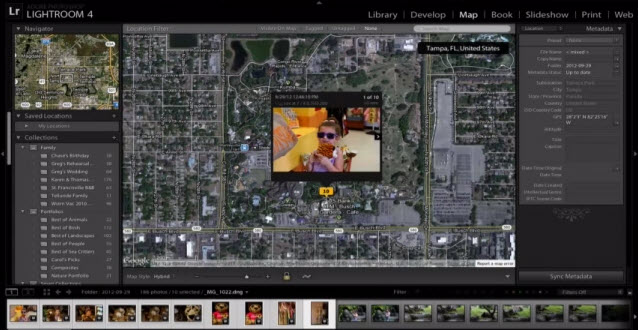
In the past few weeks we’ve looked at various ways to export image files from Bridge and Lightroom. In fact, in previous tips we’ve even looked at directly exporting to Social Media sites from Bridge and from Lightroom. But, what if I want to send a simple email to family or friends? Surely there...

Read more »

Exporting Multiple Images from Lightroom

LRExport01_thumb.jpg

Over the past two weeks, I’ve presented some tips on exporting multiple images from Adobe Bridge using Image Processor and the Bridge Export Panel. However, some photographers among you might be thinking to yourselves, “but Mike! I’ve spent the past few years migrating my photography workflow over to Lightroom! Are you telling me that...

Read more »

Export multiple JPEG files with the Bridge CS5 Export Panel

Export multiple JPEG files with the Bridge CS5 Export Panel

Last week, we examined Bridge CS5’s capability to export multiple files with the Image Processor script. We found a powerful utility, but one that had a few shortcomings. In today’s tip, we’ll take a look at Bridge CS5’s Export Panel, and we’ll find some new capabilities, including the ability to perform the following tasks...

Read more »

TWITTER NUTS