Did you see...

perfectreplica.io High Quality Best submariner replica Watches Online For Sale All of our Rolex watches are carefully selected.

Video Tutorial

Lightroom and Photoshop – Creating Panoramas

19/08/2014

Once you have the images imported into Lightroom, you can send them directly into Photoshop from Lightroom with a click of a menu; it’s easy. And the advantage here is that once you save from Photoshop, your newly created panoramic image is imported automatically back into Lightroom’s catalog. Lightroom and Photoshop cooperate well together in many ways! [More]
Add Depth To Photoshop Shapes

14/08/2014

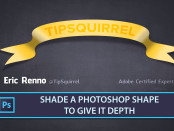
Photoshop ships with a number of shapes, but they can often seem a little 'flat'. In this video I add various shading, and text, to a banner to give it some depth. [More]

Lightroom and Photoshop – Lens Corrections

05/08/2014

Lightroom and Photoshop can work together in powerful ways, and each seems to have strengths where the other has weaknesses. Lightroom has a powerful new feature called “Upright,” found in the Lens Corrections panel of the Develop Module. This feature was a welcome addition in version 5, and it makes very quick work of a variety of perspective problems. Sometimes, especially with very wide angle shots, Upright doesn’t quite do the job, and we need to bring out the big guns. [More]

ACR Workflow Options Quick Tip

01/08/2014

In this video I take a look at the Adobe Camera Raw Workflow Options. There's a lot of power hidden in this dialogue box but it comes with a few quirks. [More]

Brush In and Out The Graduated Filter in ACR

25/07/2014

There's been some major updates to Photoshop and Adobe Camera Raw of late but there's one feature that's been hidden away. Its not 'sexy' like the Focus Select or as 'Ooooo' as the new Content Aware features, but to my mind its one of the most helpful updates. [More]

Lightroom Additional External Editors

15/07/2014

In this video, we’ll examine how to choose additional external editors, how to configure presets additional external editors, and how to set up Lightroom to quick-launch a photo with any of the additional external editors that you desire. [More]

Photoshop a Cityscape Silhouette With Reverse Text

11/07/2014

Putting reverse text on a silhouette can be a little confusing at first, but with a little logic and a couple of masks it's a breeze. In this video I create a cityscape silhouette and add the editable text in under five minutes. If you create you own, or any other image using something you've learned here at TipSquirrel.com we'd love to see it! [More]

Lightroom and Photoshop – Smart Editing

08/07/2014

When you make adjustments to your raw files in Lightroom, you have the flexibility and the power of non-destructive edits – and unlimited undo steps. But, when you edit in Photoshop, the changes are written into the pixels and the result is a raster layer, ready for editing. However, Lightroom and Photoshop have another editing path available – one that preserves the raw data during the handoff, and maintains the non-destructive flexibility. Lightroom and Photoshop are made to work together, and there is more than one way to move files between them. In this video, we will examine the workflow in which a raw file in Lightroom is sent over to Photoshop as a Smart Object. [More]

Photoshop 2014 – New Features and My Favourites

18/06/2014

Today saw Adobe make an upgrade to it's Creative Cloud and with it some great new updates to Photoshop. In this video I take a look just a few of my favourites. There's loads more, there's a comprehensive list below the video. [More]

Opening Vector Files in Photoshop

13/06/2014

If you download assets from the internet then you might come across a file format SVG, or scalable vector graphics. In this video for Fotolia I take a look at opening vector files in Photoshop and combining them in your pixel based project. [More]

Lightroom and Photoshop – Open as Layers

10/06/2014

Now that Photoshop and Lightroom are available as part of the popular Photoshop Photography program from Adobe, many people are starting to use Lightroom and Photoshop together for the first time. Naturally, that leads to some confusion when it comes to workflow. [More]

Masking Photoshop Layer Styles

06/06/2014

Masking an image with Layer Styles and putting another image behind can result in some strange goings on, but the answer could be as simple as the click of a button. In this video for Fotolia I take a look at putting text behind an image and how to solve any issues you might have, while keeping everything editable. [More]

Make Lightroom Default Develop Settings ISO Specific

04/06/2014

You can set Lightroom Default Develop Settings so that certain parameters are automatically applied every time you import an image. But some parameters, like Noise Reduction, require different settings based on the specific ISO setting of that camera. [More]

Easy Folded Banner Vector Shape in Photoshop

31/05/2014

The folded banner is a popular feature at the moment so it was no surprise that I was asked if i could come up with an easy way to create one. The result is not only easy but is created entirely with vectors which means its scalable while remaining completely editable. Don't panic if you're not used to using vectors, there's nothing that a beginner won't be able to handle here, yes I use the Pen tool but to make just a single click. [More]
1 6 7 8 9 10 29
3-9